




Putting a Microsoft Dynamics 365 solution in place can help you streamline operations, improve cooperation between departments & give you a single source of truth for your data. To get there, you need to think carefully about your requirements, data, configuration, integrations & training.
A checklist keeps your organisation on track through the huge number of tasks involved in implementing Dynamics 365 Sales, Customer Service, Finance & Business Central. An organised plan also makes it easier to reach your goals.
We can help your business focus on its requirements, integrations, processes & scalability.
Why Do You Need a Dynamics 365 Implementation Roadmap?
An implementation roadmap helps set your project up for success. Without one, you might run into unclear requirements, data migration issues, extra costs & poor adoption.
A roadmap will help you:
- Understand your goals & what you want to achieve
- Make sure your processes are mapped in Dynamics 365
- Know what integration is required
- Prepare for data migration, testing & training
- Create realistic timelines, ownership & budgets
- Get ready for go-live & the improvements that follow
Microsoft’s Success by Design framework provides useful guidance across the implementation lifecycle, from initial strategy through deployment and ongoing operations.
Dynamics 365 Implementation Steps: A Step-by-Step Guide
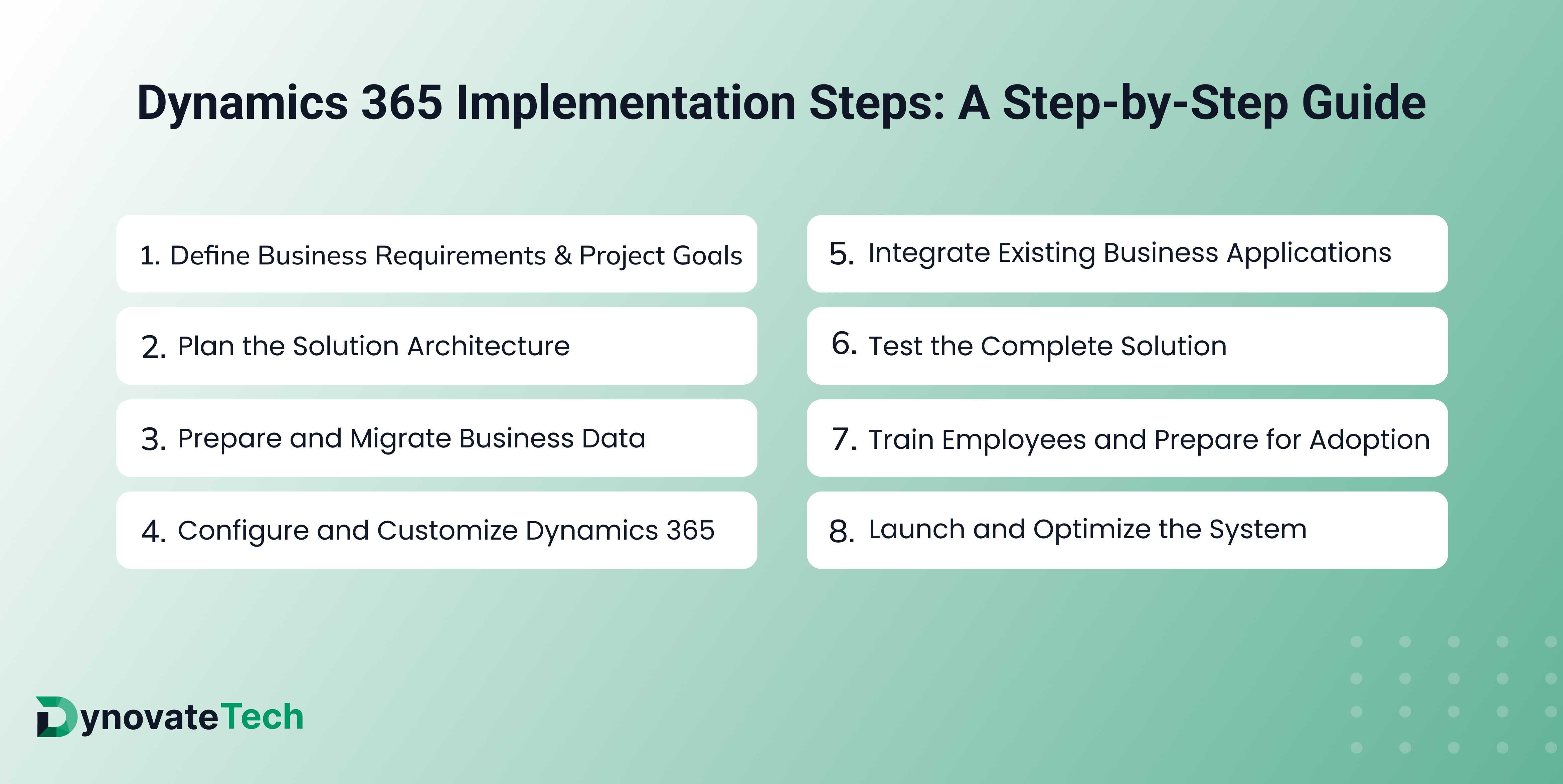
Follow the steps below to keep your project running smoothly.
Step 1: Define Business Requirements and Project Goals
Figure out which problems you want to fix. Look at how you do things now, including your reports, how you handle customers, your finances & what each department needs.
Work out which Dynamics 365 products you need to achieve your objectives, & make sure your scope of work, goals, budget, stakeholders & KPIs are defined.
Step 2: Plan the Solution Architecture
Design your system so it matches your processes & your future needs. Consider how Dynamics 365 will integrate with Microsoft 365, the Power Platform, your existing ERP/CRM systems & external applications.
Think about security measures, user roles, integration requirements, reporting needs & the customisations required. Planning this way helps you avoid unnecessary complexity & leaves room for future growth.
Step 3: Prepare and Migrate Business Data
Your data needs to be accurate when you start using Dynamics 365. First, work out what data you currently have, such as databases, spreadsheets, customers, financial information, inventory & transactions.
Remove duplicates, correct inconsistencies, standardise the data & map it to the right fields in Dynamics 365. After that, run test migrations & check that the record counts & financial figures are correct.
Step 4: Configure and Customize Dynamics 365
Configure Dynamics 365 in line with your approved processes. This could involve sales pipelines, approvals, customer service, financial functions, dashboards & notifications.
Make sure your standard processes are in place alongside any extra features, & that you’re using the right extensions, integrations & Power Platform tools.
Step 5: Integrate Existing Business Applications
Most businesses use several different platforms for accounting, communication, stock, payments & reporting. Integrating these platforms helps you avoid duplication.
Decide who will own the data, how often it will sync, what happens when there are errors & how the integration will be monitored. Test both successful & unsuccessful scenarios.
Step 6: Test the Complete Solution
Testing shows you whether your system has been set up correctly to meet your requirements. Make sure every area is covered, including functional, integration, user acceptance & performance testing.
Test your standard procedures, then test the exceptions as well, such as failed integrations, incorrect permissions, duplicate records & incomplete transactions. You’ll need someone capable of resolving any problems, plus approval from the business before you proceed.
Step 7: Train Employees and Prepare for Adoption
Even if everything has been set up properly, your users won’t get much benefit unless they know how to use the system. Train them based on their roles, & give them walk-throughs & user documentation.
Involve users in testing, collect feedback & spot champions within the business who can help everyone else adapt & keep usage consistent.
Step 8: Launch and Optimize the System
Once you’ve finished your final checks, approved your go-live plan & confirmed the data has been migrated, you can turn on your solution.
After go-live, keep a close eye on the system to make sure it’s working properly, integration & transaction problems are dealt with & users are settling in. Offer additional support during the first few weeks, then make improvements based on real results from your business.
Dynamics 365 Implementation Checklist Before Go-Live
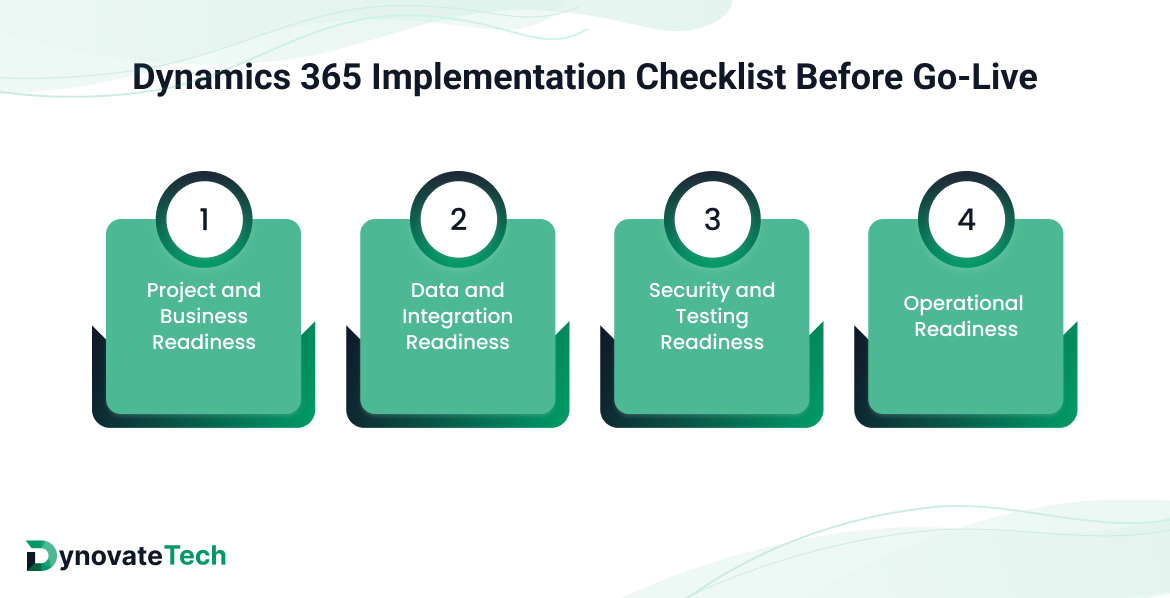
Make sure you’ve met the requirements below before you go live.
Use this Dynamics 365 implementation checklist to review your project’s readiness.
Project and Business Readiness
- Confirm the solution has been delivered within the approved scope
- Make sure the processes have been approved by stakeholders
- Confirm all major issues are resolved
- Make sure ownership has been identified
Data and Integration Readiness
- Make sure customer, supplier, product & transaction data have been migrated
- Check that financials & key record totals are correct
- Confirm every critical integration has been tested
- Make sure a process is in place for failed integrations
Security and Testing Readiness
- Confirm functional, integration & user acceptance testing is complete
- Verify that performance testing is complete
- Make sure users have the correct access, security roles & approvals
- Get sign-off from the relevant stakeholders
Operational Readiness
- Confirm all training is complete
- Make sure the go-live timeline has been approved, ownership identified & rollback & recovery documented
- Confirm the production environment is ready & monitoring is in place
- Confirm helpdesk procedures are available
- Verify the formal go/no-go is complete
Adjust your checklist to suit the application you’re using, the extent of your scope & your potential risks. A complete checklist isn’t much use unless the tasks have been tested & approved.
Dynamics 365 Go-Live Checklist: What to Verify on Launch Day
Use a checklist to keep your project team organised.
Before Go-Live
Make sure your production environment is ready, the data has been tested, the integrations are in place & stakeholders have approved. Let users know the system is going live & about any temporary limitations.
During Cutover
Follow the approved go-live runbook in the correct sequence. Make sure every activity has an assigned owner & has been carried out, the data has been migrated & the critical processes are working.
The project leader should use your predefined go/no-go criteria to decide whether the deployment goes ahead.
After Go-Live
Check that users can log in, key transactions can be carried out, integrations are working & reports contain accurate data. Keep a close eye on errors & have clear escalation procedures for serious issues.
During the hypercare phase, provide additional support, carry out regular reviews & communicate clearly. Once things are running smoothly, hand over to your normal support team.
Common Dynamics 365 Implementation Mistakes to Avoid
Plenty of mistakes can be avoided. If they aren’t, they lead to delays & reduce the benefits of your new system.
- Unclear requirements: Starting development without knowing what your business wants may result in extra features that will need to be reworked later.
- Poor data quality: Duplicated, incomplete or inconsistent data can affect your reporting & processes.
- Excessive customization: Too much customisation means greater maintenance & problems with future upgrades.
- Insufficient testing: Skipping tests, especially for everyday scenarios, can lead to problems with your integrations, security & transactions.
- Limited employee training: If little to no training is given, users may go back to manual processes.
- No post-launch support plan: If no one is keeping an eye out for problems & providing support, minor issues can go unnoticed & grow into bigger ones.
If you deal with these problems early, your implementation will be able to deliver genuine benefits.
How Dynovatech Helps With Dynamics 365 Implementation
We’ll help you plan & put Microsoft Dynamics 365 into practice so it meets your business requirements. Our goal is to support the configuration, customisation, integration, migration & support of your solution so it aligns with your business processes.
We focus on well-defined requirements, practical solutions, testing & getting your users ready. We’ll help you set priorities, plan deployment, & prepare for a smooth transition.
Putting a new Dynamics 365 application into action, or improving an existing one, can be complicated. A structured approach helps reduce risk & supports your business as it grows.
Conclusion
If you’re careful during implementation & make sure you have correct data, a well-configured system, thorough testing & proper training, you’ll achieve a successful deployment. A structured roadmap lets you manage each stage with confidence.
A Dynamics 365 implementation checklist keeps you on track by ensuring you verify every essential activity. With proper planning & the right partner, you’ll build a scalable foundation that integrates your workflows, improves visibility & enables continuous improvement.
Planning a Microsoft Dynamics 365 implementation? Contact Dynovatech to discuss your business requirements & develop an implementation approach suited to your organisation.



 India

 United Kingdom

 UAE

 USA

 Ghana