












ZS Logo
Lady Boss Logo
Webcor Logo
IHG Logo
Lucidya Logo
i.am+ Logo
InterContinental Hotels and Resort Logo
Sandvik Logo
NTPC Logo
Wipro Logo
MB Aerospace Logo
NBK Logo
KRONES Logo
avaloq

What Is Microsoft Dynamics AX?

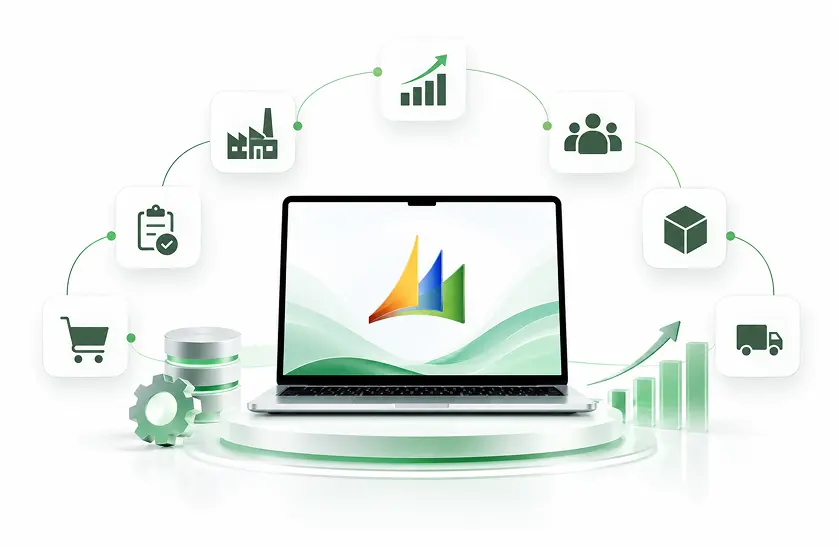
Microsoft Dynamics AX is an enterprise resource planning (ERP) system that enables companies to manage core business operations through a connected business system such as finance, supply chain, manufacturing, distribution, procurement and other departments. It facilitates enterprise to align, document and track business processes across departments, locations and legal entities while enabling them to maintain a centralized view of the business operations and workflows.

  • Manage finances, general ledger, accounts, budgeting, and financial reporting.
  • Coordinate inventory, procurement, warehouse, and distribution operations.
  • Streamline production planning, resource allocation, and manufacturing workflows.
  • Manage sales orders, purchasing, vendors, and customer transactions.
  • Connect business processes through integrations and custom workflows.
  • Improve business visibility through reporting, analytics, and Microsoft tools.
schedule a demo
What Is Microsoft Dynamics AX?

Microsoft Dynamics AX Features and Capabilities

Microsoft Dynamics AX is an ERP system that offers a wide variety of features and functions to support enterprise-level operations. Through its integrated suite of financial, operational, and supply chain functionalities, it enables you to work with complex enterprise operations.

  • Microsoft Dynamics NAV implementation and configuration
  • Customization to meet specific business requirements
  • Data migration and system upgrades
  • Integration with Microsoft 365, Power BI, and third-party applications
  • Workflow automation and performance optimization
  • Ongoing technical support and maintenance
Financial Management

General ledger and managing the company's accounts payable, accounts receivable, and budgeting for the company or individual. Along​‍​‌‍​‍‌ with cash flow management and financial reporting, one is required to manage finances in a better way.

Supply Chain Management

Coordinate procurement, inventory, order processing, product storage, and delivery so products move efficiently within your supply chain and you have full visibility of it.

Manufacturing and Production Planning

Planning involves helping with manufacturing scheduling, bills of materials, resources, planning, and manufacturing execution and coordination.

Inventory and Warehouse Management

Maintain records of your goods inventory availability, stock replenishment processes, movement of goods, warehouse operations, and activities.

Customization and Workflow Automation

This is about broadening ERP features to suit the specific needs of a business through its unique setup, custom development, approval workflows, and process automation.

Reporting and Business Intelligence

Take advantage of various reports in combination with tools like Power BI and generate business performance reports to guide your ​‍​‌‍​‍‌decisions.

Microsoft Dynamics AX Services by DynovateTech

DynovateTech supports businesses in upgrading, enhancing, and keeping their Microsoft Dynamics AX installations up to date through their day-to-day usage needs, and the technology goals they may have in the longer perspective. Our solutions are centered around system's dependability, process efficiency, technical robustness, and sound decision-making in modernizing the IT systems.

Microsoft Dynamics AX Services by DynovateTech
Dynamics AX Consulting Services

We assess your Dynamics AX environment, review business workflows, identify functional gaps, and recommend practical improvements aligned with operational requirements, technical constraints, and long-term enterprise objectives.

Dynamics AX Support and Maintenance

We help maintain Dynamics AX environments through troubleshooting, issue resolution, configuration assistance, technical diagnostics, and ongoing maintenance to improve reliability and minimize operational disruptions.

Dynamics AX Upgrade and Migration Services

We evaluate your existing AX version, customizations, integrations, and data requirements to plan and execute a structured upgrade or migration strategy aligned with business continuity goals.

Dynamics AX Integration Services

We connect Dynamics AX with compatible business applications, reporting platforms, databases, and third-party systems to improve data exchange, reduce manual work, and support connected business operations.

Dynamics AX Performance Optimization

We investigate performance bottlenecks across application workflows, database operations, integrations, and system configurations to identify improvements that support faster processing and more consistent ERP performance.

Dynamics AX Modernization Strategy

We assess your legacy ERP environment, business priorities, and technology roadmap to recommend modernization options, including Dynamics 365 migration, integration improvements, customization rationalization, and phased transformation planning.

Benefits of Microsoft Dynamics AX for Enterprises

Microsoft Dynamics AX can continue to support important business processes when its environment is appropriately maintained and aligned with operational needs. A structured support and optimization strategy helps organizations manage existing investments while preparing for future technology changes.

Centralized Business Management

Consolidating financial, logistics, procurement, inventory, and manufacturing modules within a single, integrated ERP system enables better visibility and transparency of operations on a single platform.

Uniform Business Processes

By making processes standard, the number of fragmented activities happening across different areas and regions is minimized, thereby increasing efficiency.

Higher Operational Insight

Having access to the right data allows for the creation of useful reports that reflect on how inventory is moving, how the financial state is changing, and how business activities are performing over time.

Flexibility with Complex Entities

Handling multi-company structures which might consist of many departments, locations, warehouses, legal entities, etc., depending on the degree of implementation.

Working with Business Systems

Share information between compatible applications and reporting platforms to minimize data silos and manual data handling.

Starting Point for Change

Based on existing knowledge of process flows and business changes, as well as the level of customization, build a real and achievable transformation plan for ERP in the future.

Manage the Complete Project Lifecycle With Dynamics 365

Microsoft Dynamics 365 Project Operations links together sales, resourcing, project management, and finance in order that organizations based on projects may manage their work from the stage of opportunity and estimation right through to execution, invoicing, and financial analysis.

500+

PROJECTS DELIVERED

98%

CLIENT SATISFACTION

130+

TEAM MEMBERS

10+

YEARS IN BUSINESS

When Should You Consider Migrating from Dynamics AX?

If your business is using an older Dynamics AX version, evaluate its support status, technical limitations, maintenance costs, and ability to meet future business needs. Migrating to a modern ERP platform can improve performance, security, and scalability

No Active Microsoft Support

If your AX version is outdated, you will be outside the scope of any product support offered by Microsoft, which, as security threats evolve, means a higher risk of breaches and a higher need for compliance measures. Additionally, without the support of a major vendor, it will be harder for you to carry out day-to-day operations smoothly.

Higher Maintenance Cost

Repairing and updating aged and legacy infrastructure along with its customizations may cost you a lot of money. Or worse, it may not be possible anymore to do so.

Performance and Scalability Restrictions

Your system has trouble running when you need to handle increasing amounts of transactions, you decide to open up more locations, or you make changes in the way your business operates.

Insufficient Integration Options

To connect AX with new apps, analytical tools, etc., a lot of effort is required, as these connections demand complex solutions and may not even be supported at all.

Shifting Business Demands

Your company is in need of reporting, automation, cloud functionalities, or modern work processes with greater flexibility, which your current system cannot provide efficiently.

Future-Proof ERP
Future-Proof ERP

Your business desires to be assessed by the most recent finance, supply chain, analytics, and AI features through suitable Dynamics 365.

Limited Reporting and Analytics

If your existing AX system cannot provide real-time insights, advanced reporting, or seamless analytics integration, migration can help improve business visibility and decision-making.

Complex Customizations and Upgrades

If existing customizations make system upgrades difficult, time-consuming, or costly, migrating to a modern ERP platform can simplify maintenance and future improvements.

Ready to Optimize or Modernize Your Microsoft Dynamics AX Environment?

Your ERP system should support your business operations without creating unnecessary technical complexity. Whether you need assistance maintaining an existing Dynamics AX environment or want to explore a transition to Dynamics 365, DynovateTech can help you evaluate your options and plan the next steps.

Industries That Use Microsoft Dynamics AX

From its beginning, Microsoft Dynamics AX has helped companies that are facing problems with finance, manufacturing, distribution, and operations. The right fit varies from one organization to another – it all depends on their specific version, system, industry features, and their customizations.

Manufacturing icon

Manufacturing

Control all aspects of production, like planning, bills of materials, inventory, procurement, and operations that go into the making of a product.

Retail and Distribution icon

Retail and Distribution

Synchronize various tasks like purchasing, stock management, order processing, warehousing, and distribution.

Wholesale and Trading icon

Wholesale and Trading

Maintain supplier relationships, inventory control, sales orders, purchasing, and multi-location logistics support through your distribution chain using Microsoft Dynamics AX.

Car and Industrial Manufacturing Equipment icon

Car and Industrial Manufacturing Equipment

Organize production-related business processes, material planning, inventory, purchasing, and operational reporting.

Household Goods and Food Processing icon

Household Goods and Food Processing

Assist in tracking inventory levels, controlling production schedules, batch processing, and coordinating the supply chain where necessary.

Service and Project-Orientated Companies icon

Service and Project-Orientated Companies

Handle budgeting for projects, resource costs, project-related financials, and operational reporting, provided that your AX edition includes the needed functionality.

Healthcare and Pharmaceuticals icon

Healthcare and Pharmaceuticals

Manage procurement, inventory, financial operations, and supply chain processes to improve business visibility and operational efficiency.

Food and Beverage Distribution icon

Food and Beverage Distribution

Streamline purchasing, inventory tracking, batch management, production planning, and distribution operations.

Why Choose DynovateTech for Dynamics AX Services?

Managing​‍​‌‍​‍‌ legacy Enterprise Resource Planning (ERP) systems is a delicate affair, as it involves business flows, technology dependencies, and change-related operational risks. DynovateTech is capable of providing organizations with detailed information regarding Dynamics AX support, optimizations and modernization so as to decide the best way forward and yet not to ignore present business demands.

Business-Focused Assessment

We begin by assessing your present ERP system and operations to ensure a recommendation of changes or modernization initiatives does not affect the business processes of your company.

Tailored Service Approach

We offer our services in consultancy, support, optimization, and migration that is in line with your system configuration and business requirements only and nothing else.

Legacy System Understanding

We plan our changes considering the existing customizations, integrations, data dependencies of the legacy system, and established workflows.

Planning and Organizing the Migration Process

We assist in outlining all the interdependent parts of the system that need to be migrated, the major technical issues to watch out for, test coverage areas, and business continuity risks in case of unexpected situations.

Interchange and Workflow Proficiency

We look for opportunities in the current systems to better integrate them, replace human activities with automated ones, and promote a smooth flow of information between various applications of the corporation.

Enduring Innovation Drive

We guide you through exploring the different future ERP alternatives and crafting a realistic business strategy that adapts over time in response to these ​‍​‌‍​‍‌shifts.

Microsoft Dynamics AX to Dynamics 365 Migration Process

When​‍​‌‍​‍‌ switching from Microsoft Dynamics AX to Dynamics 365, it is important to understand your system configuration at the moment, this comprises the customized source code, business data, integrations, and operational procedures. Planning migration is vital to figuring out dependencies, controlling risks, and helping your team prepare smoothly for a change in the system.

Discovery and Assessment

Analyze the version of AX, the supporting technologies, the operations, customizations made to the software, integrations, the size of your data, and operational issues.

Target Platform Selection

Choose from Dynamics 365 Finance, Dynamics 365 Supply Chain Management, or select another Enterprise Resource Planning system based on what is best suited for your business needs.

Customization and Gap Analysis

Check the current custom changes, external solutions, and features which are no longer available to determine whether they can be kept, replaced, redesigned, or simply discontinued.

Data and Integration Planning

Lay out the data cleansing, define the migration boundaries, decide what historical data should be brought over, determine dependencies for integration, and devise a strategy to move critical business data.

Migration, Configuration, and Testing

Carry out the agreed technical work, set up the destination environment, check that migrated data is correct, and verify business processes, integrations, security, and reporting.

Deployment and Post-Migration Support

Create a cutover plan, train and guide users, shift approved workloads into live production, keep a close watch on system performance, identify areas of concern and help fix them promptly after ​‍​‌‍​‍‌go-live.

Tools and Technologies

A structured, data-driven approach to ensure seamless transition and immediate valuerealization.

Microsoft Dynamics AX Versions
  • Dynamics AX 2009
  • Dynamics AX 2012
  • Dynamics AX 2012 R2
  • Dynamics AX 2012 R3
Development & Customization
  • Visual Studio
  • Application Object Tree (AOT)
  • MorphX Development Environment
  • X++ Programming
Database & Data Management
  • SQL Server Integration Services (SSIS)
  • Data Import Export Framework (DIXF)
  • SQL Server Management Studio (SSMS)
  • Microsoft SQL Server
Integration & Connectivity
  • REST APIs
  • SOAP Web Services
  • AIF (Application Integration Framework)
  • Microsoft BizTalk Server
Reporting & Analytics
  • Management Reporter
  • SQL Server Analysis Services (SSAS)
  • SQL Server Reporting Services (SSRS)
  • Microsoft Power BI
Cloud & Infrastructure
  • Microsoft 365
  • Azure Virtual Machines
  • Windows Server
  • Microsoft Azure
Testing & Deployment
  • User Acceptance Testing (UAT)
  • Regression Testing
  • Visual Studio Team Foundation Server (TFS)
  • Microsoft Dynamics AX Test Framework

Frequently Asked Questions

Everything you need to know about Dynamics 365 ERP implementation with DynovateTech.

Microsoft Dynamics AX is an enterprise ERP solution used to manage core business operations, including finance, procurement, inventory, manufacturing, sales, warehousing, and supply chain management. Organizations use it to coordinate workflows, maintain business records, and improve operational visibility across departments.

Microsoft has discontinued standard support for historical releases of Microsoft Dynamics AX. AX 2012 R3, for instance, stopped receiving support on January 10, 2020 after its extended support. Earlier editions like AX 2009 and AX 2012 have also been discontinued. A business must check their specific version and any contracts with support or related services to find out if it is still supported. They would also have to weigh their modernization paths.

Microsoft Dynamics AX used to be the main ERP solution, often deployed in on-premises mode. Microsoft’s contemporary suite of business applications, which includes Dynamics 365 Finance, and Dynamics 365 Supply Chain Management, is Dynamics 365. These tools bring together cloud-based abilities, frequent service upgrades, and connections with Microsoft products as a whole. The transition from AX to Dynamics 365 needs to consider functional areas, data, customizations, and whether migration paths are supported.

Migration is definitely possible, though the method would vary depending on your version of AX and the receiving application in question. Microsoft has specified the upgrade path from Dynamics AX 2012 R2 and R3 to the finance and operations applications. However, for those using older versions, unsupported environments, or significantly custom-built software, extra preparation or completely different migration strategies might be necessary, if not a fresh start altogether.

Dynamics 365 Finance is generally relevant for organizations prioritizing financial management, accounting, budgeting, and financial reporting. Dynamics 365 Supply Chain Management is suited to businesses with more extensive procurement, manufacturing, inventory, and logistics requirements. Some enterprises need both applications, while others may be better served by a different ERP solution. A fit-gap assessment helps determine the right option.

Migration costs depend on the existing AX version, database size, customization complexity, third-party applications, integration requirements, target licensing, testing scope, and deployment strategy. The most reliable way to estimate cost is to conduct a migration assessment and prepare a detailed scope, resource plan, and implementation estimate.

The timeline depends on system complexity, data volumes, custom development, integrations, business locations, and testing requirements. A limited environment may require substantially less effort than a complex enterprise implementation. A technical assessment and migration plan provide a more reliable timeline than a generic estimate.

Businesses may be able to continue operating an existing AX environment, subject to their licensing, contractual, infrastructure, and compliance requirements. However, expired Microsoft product support means organizations should carefully evaluate security exposure, technical risks, and the availability of specialist support. A planned modernization strategy can help reduce long-term operational risk.

Yes, Dynamics AX data can be made available to Power BI through suitable data connections, reporting layers, databases, or integration solutions. The exact method depends on the AX version, infrastructure, data model, permissions, and refresh requirements. An assessment helps identify a secure and maintainable approach for business reporting.

DynovateTech can help assess your current AX environment, troubleshoot technical issues, review integrations, identify performance bottlenecks, and plan ERP modernization. For migration projects, we can help evaluate business requirements, assess customizations, define data migration needs, plan testing, and develop a transition roadmap based on your system and target platform.