



Artificial intelligence is transforming how companies run their sales, customer service, finance & general operations. Microsoft Dynamics 365 brings AI agents to support sales, customer service, and finance through AI assistants and autonomous agents that analyse business data and provide automated recommendations.
Not all of these features will be fully automated. Some features do require configuration, supervision, additional licensing, or further development.
By understanding what these Dynamics 365 AI agents can do, you can ensure that you’re investing in the right features.
What Are Dynamics 365 AI Agents?
Dynamics 365 AI agents are intelligent systems that can research, interpret, and perform certain tasks using data from your organisation with defined rules and authorised tools. These AI agents aren’t fully rule-based like traditional automation. They have the ability to understand what the request is asking for, search out the relevant information, and perform supported tasks.
Microsoft provides AI features for Dynamics 365 Sales, Customer Service & Business Central. These can be expanded using Microsoft Copilot Studio to create custom AI agents.
These can be used for researching leads, creating responses, analysing vendor invoices & assisting with creating a sales order. Depending on the agent being used, configuration, permissions, and features available, these can be fully automated.
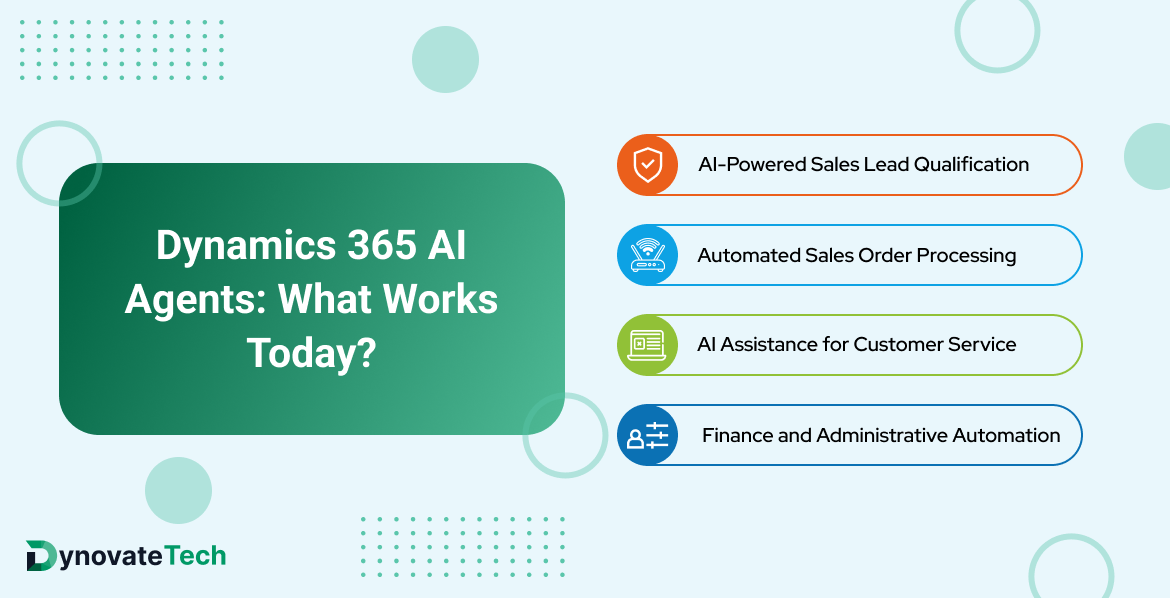
Dynamics 365 AI Agents: What Works Today?
There are several AI capabilities that are moving beyond experimentation and into practical business workflows. Here is where organizations can see tangible value today.
1. AI-Powered Sales Lead Qualification
The Sales Qualification Agent can research leads, qualify them, and assist with engaging with customers. Other sales agents can research opportunities, identify possible risks, and provide recommendations.
This reduces research time and lets you engage with the most promising leads.
What works: Research leads, qualify leads, identify insights, and support engagement.
What still needs supervision: May not understand all the context from the AI recommendation. Communication with customers requires controls, especially for complex sales or sensitive negotiations.
2. Automated Sales Order Processing
Within Business Central, there is a Sales Order Agent that can help with processing sales requests via email. This can analyse customer requests, identify the correct records, and assist with creating sales documentation. This is useful if you receive a lot of orders via email.
What works: Extract order information, identify relevant records, and create sales orders.
What still needs supervision: If there are incorrect product codes, unknown quantities, exceptions & incomplete customer information, this can impact accuracy. Rules need to be set up, and approvals are required.
3. AI Assistance for Customer Service
Within Dynamics 365 Customer Service, there are AI features to assist customer service agents with creating summaries, providing recommendations, finding knowledge & other productivity features. These can be extended using AI agents.
This helps the agents understand what the customer is asking more quickly.
What works: Create summaries, find relevant knowledge, create recommendations & support service.
What still needs supervision: If there are complaints, refunds, escalations, sensitive customer information, or unusual cases, then these may need judgement.
4. Finance and Administrative Automation
Within Business Central, there are AI features to assist with accounting and administration. The Payables Agent can analyse vendor invoices and help draft invoices. There are other Copilot features to assist with reconciling bank statements, processing documents and analysing financial data.
This can save time on manual data entry and help finance staff with processing regular transactions.
What works: Extract invoice information, match documents, suggest matching transactions & prepare for review.
What still needs supervision: Tax rules, payments, duplicates, exceptions & decisions need to follow financial rules.
Business Central AI Agents: Practical Use Cases
AI agents within Business Central are useful for small/medium sized businesses that wish to automate repetitive tasks within their ERP.
Common use cases include:
- Sales order management: Assist with turning customer requests into sales orders.
- Accounts payable: Analyse vendor invoices & prepare for approval.
- Inventory support: Assist with decisions using available business data.
- Financial administration: Save time on repetitive tasks.
- Product information: Create marketing descriptions & analyse product data.
The main benefit is that you’re not removing all manual tasks, just repetitive ones. This means staff are still involved in important decisions.
You should confirm which features are available & licensed, and what configuration is required.
Dynamics 365 Sales Agent: From Lead Research to Opportunity Management
Sales teams can often spend a lot of time researching leads, updating CRM, preparing for meetings & following up.
The Dynamics 365 Sales Agent ecosystem is designed to reduce this administrative burden through specialized agents.
Depending on what features are available & configured, you can:
- Research leads & qualify leads.
- Identify risks & relevant people in the opportunity.
- Create summaries of customer interactions & sales.
- Provide recommendations for next steps.
- Support engagement.
If you receive a large number of leads, your sales reps will be able to spend more time building relationships with customers.
However, the insights provided by AI depend on the data provided. If there are inconsistencies in your CRM, missing customer information & out-of-date opportunity stages, then this will impact the recommendations.
Dynamics 365 Customer Service Agents: Where They Add Value
Dynamics 365 Customer Service agents can be useful if you need to answer common questions, find information quickly & support your customer service reps.
They can help find the right knowledge, create summaries of previous interactions & assist with creating responses.
More advanced agents can automate certain tasks if the right tools, permissions & rules are configured.
It’s important to remember that these are there to support the customer service rep. They won’t solve all the customer issues. AI can help save time & ensure consistency, but complex complaints, exceptions & sensitive interactions should still involve humans.
You should also test the accuracy of the responses, escalations & permissions.
Agentic AI Dynamics 365: How It Differs From Traditional Automation
Agentic AI in Dynamics 365 can understand what the goal is, decide what the right actions are & perform tasks using available tools.
Traditional automation is usually rule-based. Agentic AI can allow for some flexibility in the information it receives. This can be useful when dealing with emails, documents & natural language.
A traditional workflow may require a customer order to come through in a specific format. An AI agent can understand an email that isn’t in this specific format & create the correct sales documentation.
However, it will still rely on accurate data, tools, clear rules & the right controls.
Dynamics 365 Copilot vs Agents: What’s the Difference?
Whilst Dynamics 365 Copilot & agents are very similar, they have different purposes.
Copilot is there to support you with summaries, answers, content & recommendations. Agents are there to perform specific tasks, potentially multi-step, using authorised tools & permissions.
Copilot may provide a summary of an opportunity & recommend sending an email. A sales agent (configured) can research the opportunity & provide supported engagement.
Whilst there can be overlap between Copilot & agents (Copilot can trigger agents & agents can use generative AI), there is a difference in how much can be done.
What’s the Hype About Dynamics 365 AI Agents?
There are quite a few things to consider despite the hype around their potential.
- Completely autonomous business operations: Whilst they can automate certain processes, complex decisions, exceptions & approvals will still require oversight.
- Perfect accuracy: They can misinterpret what you want, provide inaccurate information & not provide the right recommendations. They should be tested.
- Instant implementation: You will need to map out processes, prepare data, configure, set permissions, integrate & train users.
- Automatic integration with every system: Integration with external applications may require APIs, connectors, bespoke development & configuration.
- Guaranteed cost savings: Productivity depends on the process, volume of transactions, licences, implementation & monitoring costs.
Instead of a universal replacement for employees or existing systems, think of them as a way to improve specific processes.
How to Implement Dynamics 365 AI Agents Successfully
Start with a clear process & measurable goals.
- Identify repetitive tasks: Look for processes that require a lot of manual research, data entry, document processing & regular customer requests.
- Evaluate data quality: Ensure the CRM & ERP data, permissions, duplicates & connected information sources are accurate.
- Choose the right capability: Determine if you want to use Copilot features, Microsoft agents, traditional workflows, or a bespoke agent from Copilot Studio.
- Define approval controls: Decide what can be done by the agent & what will require staff.
- Run a controlled pilot: Test real scenarios including incomplete information, exceptions & incorrect information.
- Measure performance: How long it takes to process, accuracy, escalations, adoption by staff & cost per task.
- Expand gradually: Only increase automation if the pilot shows the results are reliable.
Conclusion
Dynamics 365 AI agents can be useful for certain sales, customer service & ERP processes. They can research leads, create case summaries, process invoices & create sales orders. This reduces repetitive tasks & helps make better decisions.
The hype comes when they’re seen as fully automated, 100% accurate & quick to implement.
By using the right AI agents with accurate data, having oversight & tracking performance, you’ll be more likely to get real results. Start with a focused pilot.



 India

 United Kingdom

 UAE

 USA

 Ghana