













Client logo 1
Client logo 2
Client logo 3
Client logo 4
Client logo 5
Client logo 6
Client logo 7
Client logo 8
Client logo 9
Client logo 10
Client logo 11
Client logo 12
Client logo 13

What Is Microsoft Dynamics 365 Support & Managed Services?

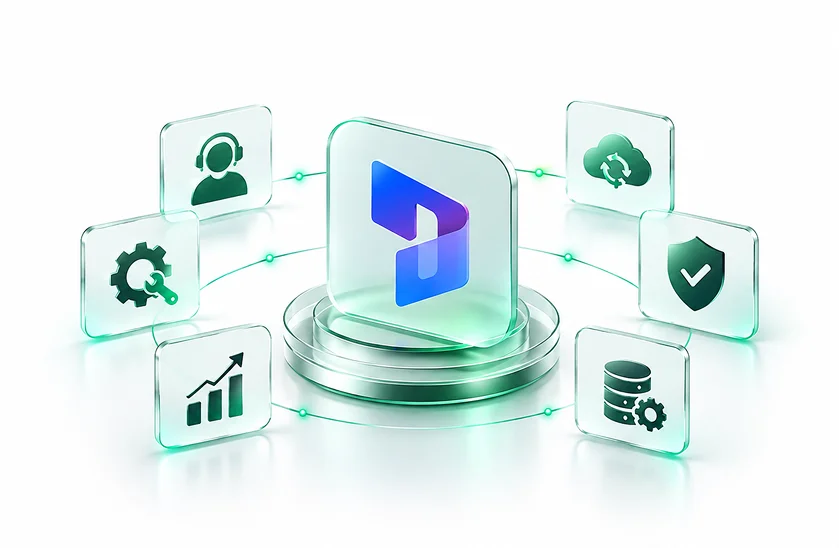
Microsoft’s Support and Managed Services will continue to support you through any technical, functional or operational problems once you have installed Dynamics 365. DynovateTech enables companies to proactively monitor and manage their Dynamics 365 CRM and ERP environment, resolving any issues that arise, support for customizations, management of integrations, upgrades, security, performance optimization and ongoing improvements.

  • Provide continuous assistance for critical Dynamics 365 issues.
  • Monitor your Dynamics 365 environment to identify potential issues early.
  • Resolve configuration, integration, and application-related technical issues.
  • Plan and manage Dynamics 365 updates and upgrades efficiently.
  • Improve system performance, reliability, and overall usability.
  • Continuously enhance your Dynamics 365 environment as business needs evolve.
Dynamics 365 Technical Support

Evaluate the Microsoft 365 environment, data readiness, security, and licensing requirements prior to deploying Copilot.

Dynamics 365 Application Support

Do regular maintenance, troubleshooting, improvements, and frequent health checks of applications to keep your Dynamics 365 applications stable and available.

Dynamics 365 Functional Support

Help is available for workflows, business processes, security roles, forms, dashboards, automation and functional configuration.

Dynamics 365 Integration Support

You can manage integrations with Dynamics 365 and Microsoft 365, Azure, Power Platform, websites, eCommerce platforms and other third-party applications.

Dynamics 365 Upgrade & Release Support

Plan, test and manage the updates to the platform and the changes to the applications, so as to minimize the effect of any disruptions on your business operations. As Microsoft releases service updates for the Dynamics 365 applications on a regular basis, readiness for these updates is an important element of ongoing support.

Dynamics 365 Performance & Optimization

To keep your Dynamics 365 environment running smoothly, you need to identify bottlenecks, check how the system is being used, optimize configurations and address the technical debt.

Microsoft Dynamics 365 Support Solutions We Cover

DynovateTech supports the wider Microsoft Dynamics 365 ecosystem and helps organizations manage either single applications or those business environments that are interconnected.

Dynamics 365 Business Central Support

Conduct finance, accounting, inventory, purchasing, sales and business management processes on a continuous basis with Dynamics 365 Business Central.

Dynamics 365 Finance & Operations Support

Deliver technical and practical support for complex ERP environments, including integrations, data, workflows, customizations, and maintenance.

Dynamics 365 Sales Support

Work on CRM processes including lead handling, opportunity tracking, sales automation, dashboards, workflows and integrations.

Dynamics 365 Customer Service Support

We improve case handling, service workflows, knowledge management, automation and every other operation related to customer service.

Dynamics 365 Field Service Support

Support field operations with scheduling, work orders, resource management, mobile workflows and related processes.

Power Platform & Dataverse Support

Power Apps, Power Automate, Dataverse, Power BI and other Microsoft technologies can be used to extend Dynamics 365 while still maintaining integration, governance and performance.

Ready to Build Smarter With Dynamics 365?

Now let’s look at where you are today, and how a certified Microsoft Dynamics 365 partner can get you to where you want to go.

500+

Projects Delivered

97%

Client Satisfaction

130+

Team Members

10+

Years in Business

Dynamics 365 Support Solutions Designed Around Your Business

Each Dynamics 365 environment has unique applications, customizations, integrations, users and operational needs. DynovateTech builds support around your environment instead of forcing your business into a standard support model.

Dynamics 365 Support Solutions Designed Around Your Business
Dynamics 365 Support & Managed Services

Keep your Dynamics 365 environment reliable, optimized, and aligned with your evolving business needs.

Proactive Dynamics 365 Monitoring

Track application health, errors, performance, integrations and environment activity to identify possible problems before they become major disruptions.

Dynamics 365 CRM & ERP Support

Get dedicated support for CRM and ERP apps such as Sales, Customer Service, Business Central, Finance & Operations, and related Microsoft solutions.

Integration & Data Support

Ensure you have a solid, dependable flow of data coming from Dynamics 365, Power Platform, Azure, Microsoft 365 and third-party business apps.

Customization & Enhancement Support

Enhance current configurations, workflows, forms, reports and automation and custom functionality as your business changes.

Security & Governance Support

To support a more secure Dynamics 365 environment, check roles, permissions, environment controls, data access, and governance practices.

Upgrade & Modernization Support

Get your environment ready for Dynamics 365 updates, new capabilities, modernization initiatives and changing business requirements.

Why Businesses Choose Our Dynamics 365 Support & Managed Services

Maintaining a reliable Dynamics 365 environment requires more than fixing issues when they occur. Our managed services provide ongoing monitoring, technical support, performance optimization, upgrades, and continuous improvements to help keep your Dynamics 365 system secure, stable, and aligned with your business needs.

80%

Faster Decision-Making

You can obtain real-time business insights within the modern Dynamics 365 cloud operations.

30%

Reduced Administrative Tasks

Automate repetitive workflows and reduce the amount of manual operational work.

90%

Data Accuracy

Improve data consistency by carrying out a systematic migration, validating the data, and making use of a centralised cloud data system.

75%

Higher Team Productivity

Let teams have access to the business applications and information that are connected and situated in various locations.

Keep Your Dynamics 365 Environment Running at Its Best

Get more from your Microsoft Dynamics 365 investment with DynovateTech, from Dynamics 365 technical support and application maintenance to proactive monitoring, upgrades, integrations, security, AI and continuous optimization.

Why Microsoft Dynamics 365 Support & Managed Services?

An implementation of Dynamics 365 is not complete at go-live. Microsoft recommends ongoing monitoring, maintenance, service updates, environment management, and optimization over time to keep business applications healthy.

Reduce Business Disruptions

Resolve application, integration, configuration and performance issues before they impact business activities.

Improve System Performance

Regular monitoring and optimization help identify configuration, usage, integration and application issues that impact Dynamics 365 performance.

Maintain Business Continuity

Ongoing Dynamics 365 support offers a structured approach to handling incidents, maintenance needs, upgrades and critical issues.

Keep Dynamics 365 Current

Get the latest Microsoft service updates, application changes, new features and platform requirements.

Strengthen Security & Governance

As your Dynamics 365 environment matures, review user access, roles, configurations, integrations and governance practices.

Extend Your Internal Team

Add seasoned Dynamics 365 technical and functional resources without needing a large in-house support team.

Increase User Adoption

Identify and fix usability issues, improve workflows, assist users, and improve Dynamics 365 based on how the business uses it in the real world.

Reduce Technical Debt

Detect outdated customizations, inefficient processes, integration issues and configuration challenges before they become more difficult or costly to resolve.

AI-Powered Microsoft Dynamics 365 Support & Managed Services

DynovateTech helps organizations embed Microsoft’s ever-expanding AI and Copilot capabilities into Dynamics 365, as well as the configuration, governance, security, and day-to-day operational support needed for production environments.

AI-Assisted Issue Analysis

Enable AI-assisted capabilities to help teams find relevant information, provide context summaries and speed up support workflows.

Dynamics 365 Copilot Support

Support configuration and ongoing management of available Copilot capabilities across applicable Dynamics 365 environments.

Intelligent Customer Service

Dynamics 365, with its Copilot capabilities and 365 Customer Service, can help reps summarize cases and conversations, retrieve information, draft responses, and complete supported tasks.

AI & Automation Optimization

Look for opportunities to combine Dynamics 365 with Copilot, Power Automate, Power Apps, Dataverse and AI-driven workflows to remove repetitive manual processes.

Tools and Technologies

A structured, data-driven approach to ensure seamless transition and immediate valuerealization.

Dynamics 365 Enterprise Applications
  • Dynamics 365 Finance & Operations
  • Dynamics 365 Sales
  • Dynamics 365 Customer Service
  • Dynamics 365 Field Service
  • Dynamics 365 Marketing (Customer Insights)
  • Dynamics 365 Business Central
Platform Integration & Power Platform
  • Power Apps (Canvas & Model-Driven)
  • Power Automate
  • Power BI
  • Dataverse
  • Copilot Studio
  • Azure Logic Apps
  • Dual-Write & Data Integrator
System Monitoring, Governance & Performance
  • Dynamics 365 Lifecycle Services (LCS)
  • Power Platform Admin Center
  • Azure Monitor
  • Microsoft Purview
  • Role-Based Access Control (RBAC)
  • Application Insights
Support Management & ITSM Tools
  • ServiceNow
  • Jira Service Management
  • Azure DevOps
  • Zendesk
  • Freshdesk
  • Microsoft Teams Incident Channels
Release Management, Testing & Upgrades
  • Regression Suite Automation Tool (RSAT)
  • Azure DevOps Pipelines
  • One Version Update Management
  • Dynamics 365 Solution Management
  • Environment Lifecycle Management
Security, Compliance & Identity
  • Microsoft Entra ID (Identity Management)
  • Conditional Access Policies
  • Data Loss Prevention (DLP)
  • Microsoft Defender for Cloud
  • Unified Audit Logging
Data Management & Analytics
  • Dataverse Data Lake / Azure Synapse Link
  • Microsoft Fabric
  • SQL Server Management Studio (SSMS)
  • BYOD (Bring Your Own Database)
  • Data Management Framework (DMF)

Why Choose DynovateTech for Dynamics 365 Support?

DynovateTech brings Dynamics 365 expertise, proactive support, technical troubleshooting,
business process understanding and continuous optimization to help organizations get more value from their Microsoft investment.

Business-Focused Support

We go beyond the individual tickets to examine the business process behind the Dynamics 365 problem.

Technical & Functional Expertise

Find help for all areas, from setup and customization to integrations and workflows, applications, data and business processes.

Proactive Support Approach

Through our managed services for Dynamics 365, we look for opportunities for improvement and problems before they become failures.

Flexible Support Models

Select a support approach that corresponds to your business size, application portfolio, operational needs, and support expectations.

End-to-End Microsoft Ecosystem

Support technologies related to Dynamics 365 such as Power Platform, Dataverse, Azure, Microsoft 365 and 3rd party integrations.

Continuous Optimization

As your users, processes, applications and business requirements evolve, we help evolve your Dynamics 365 environment.

Our Microsoft Dynamics 365 Support & Managed Services Process

For a Dynamics 365 migration to be a success it is necessary to do more than just transfer the data; Microsoft recommends that you should evaluate the present environment, establish a migration strategy, plan the data and the dependencies, check the target environment, and then carefully manage the final transition.

Environment Assessment

We analyze your Dynamics 365 applications, configurations, customizations, integrations, users, existing issues and support needs.

Support Planning
Support Planning

We establish support priorities, roles, escalation paths, communications processes, service expectations and operational requirements.

Knowledge Transfer & Onboarding

Our team knows your business processes, applications, customizations, integrations, documentation and known technical issues.

Monitoring & Issue Resolution

We monitor the key areas of the system, investigate incidents, troubleshoot problems and provide technical or functional fixes.

Optimization & Upgrades

We are constantly searching for ways to improve our performance, automate, refine customizations, improve our security and be ready for upgrades.

Reporting & Continuous Improvement

Regular reporting gives visibility into support activity, recurring issues, improvements, recommendations, and future Dynamics 365 requirements.

Frequently Asked Questions

Everything you need to know about Dynamics 365 ERP implementation with DynovateTech.

Microsoft Dynamics 365 Support & Managed Services offer ongoing technical and functional support after going live. These can include troubleshooting, monitoring, maintenance, customization, integrations, upgrades, security, performance optimization and continuous improvements.

Managed support for Dynamics 365 could include application monitoring, incident management, technical troubleshooting, functional support, integration management, performance optimization, security reviews, upgrades and ongoing enhancements.

Yes. DynovateTech supports Dynamics 365 CRM and ERP environments including Dynamics 365 Sales, Customer Service, Field Service, Business Central, Finance & Operations and connected Microsoft technologies.

Yes. For existing environments, including implementations originally delivered by another partner, Dynamics 365 Support & Managed Services can be provided. The engagement can start with an environment assessment to identify existing issues, technical debt, integrations, customizations and opportunities for improvement.

Yes. Upgrade and release support may involve planning, impact assessment, testing, issue identification, validation and post-upgrade support. Microsoft recommends keeping current with the latest service updates and environment maintenance.

Yes. depending on the environment and integration architecture support can include integrations between Dynamics 365 and Power Platform, Azure, Microsoft 365, Dataverse, websites, eCommerce platforms, payment systems and third-party applications.

Yes. DynovateTech can support existing customizations and help to enhance workflows, forms, fields, automation, dashboards, reports, business processes and other supported Dynamics 365 components.

Yes. DynovateTech can help organizations assess, configure and support applicable Dynamics 365 Copilot and AI capabilities, Power Platform automation and related integrations. Today, Microsoft has Copilot and AI capabilities in areas like Dynamics 365 Customer Service.

Yes. Dynamics 365 AMC Support can offer a continuous maintenance and support framework that includes issue resolution, application maintenance, monitoring, optimization, upgrades, integrations and enhancements based on the agreed service model.

Yes. You can structure support around your Dynamics 365 applications, business critical processes, users, integrations, hours of operation, response needs and continuous improvement priorities.