















Client logo 1
Client logo 2
Client logo 3
Client logo 4
Client logo 5
Client logo 6
Client logo 7
Client logo 8
Client logo 9
Client logo 10
Client logo 11
Client logo 12
Client logo 13

What does moving from on-premises to the cloud involve?

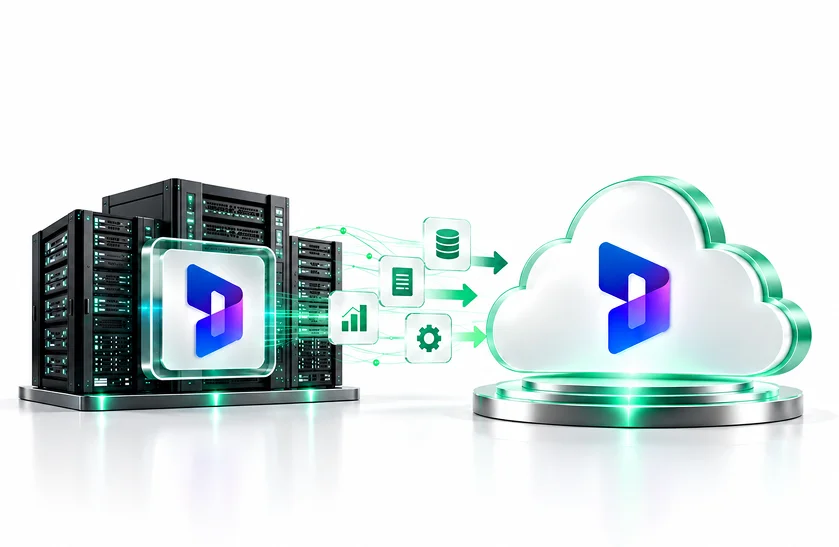
To migrate from on-premises to the cloud, you need to move your existing Dynamics CRM, Dynamics AX, Dynamics NAV, or other supported Dynamics applications, the associated data, any customizations, and the current integrations that are being hosted on locally deployed solutions to the appropriate Dynamics 365 cloud options. Microsoft recommends that you assess your environment in order to develop a migration strategy and then transfer the various solution components and data to the target Dynamics 365 online/cloud solution as required, and it might also be necessary to redesign some parts of the solution in order to make use of the cloud features.

  • Assess your Dynamics environment
  • Identify data, customizations, and dependencies
  • Select the appropriate Dynamics 365 cloud platform
  • Migrate and validate business-critical data
  • Modernize integrations and custom development
  • Test, deploy, and optimize the cloud environment
schedual a demo
What does moving from on-premises to the cloud involve?

Our Dynamics 365 On-Premise to Cloud Migration Services

DynovateTech provides end-to-end cloud migration services for Dynamics 365 to businesses that want to move away from their current legacy or highly customized on-premise Dynamics systems. We examine your existing architecture and then create a migration roadmap considering your data, customizations, integrations, users, and business processes.

Our Dynamics 365 On-Premise to Cloud Migration Services
Dynamics 365 On-Premise to Cloud Migration Services

Seamlessly migrate your Dynamics 365 environment to the cloud with migration services.

Dynamics CRM Migration

Microsoft has established a particular migration path for the supported versions of Dynamics CRM and Dynamics 365 running on-premises so that customer records, sales processes, service data, workflows, integrations, and historical information can be transferred from those supported on-premises environments to Dynamics 365 online.

Dynamics AX Migration

Assess the business processes, the customizations, the data, the integrations, and the upgrade requirements in order to upgrade Dynamics AX environments that are eligible for the upgrade to Dynamics 365 Finance and Supply Chain Management.

Transitioning from Dynamics NAV to Business Central

If you are migrating Dynamics NAV environments that are supported to Business Central online, you should carry out planning relating to the companies concerned, the volumes of data, the extensions, database problems, testing, and the final move to the cloud.

Custom Dynamics Modernization

Carefully analyse the Dynamics environments which have been extensively customised, document the current functionality, identify any dependencies, and determine what should be migrated, redesigned, replaced or retired.

Moving and examining the data

Before you deal with business-critical data, you must define the source and target systems, the migration entities, the data volumes, the methods of extraction and transformation, the migration sequence, and the validation procedures.

Migration involving integration and customization

Check the APIs, third-party applications, workflows, reports, interfaces, and custom components and make any necessary changes so that they match the target Dynamics 365 cloud architecture.

Dynamics 365 Cloud Migration Solutions

Every on-premise environment has its own versions, custom changes, databases, integrations, and business needs. Instead of using just one way to migrate, DynovateTech plans the migration path based on your current Dynamics setup.

Legacy CRM Modernization

As part of the process of modernising sales, customer service, workflows, integrations, and reporting, transfer any on-premises Dynamics CRM or Dynamics 365 environments that are supported to Dynamics 365 online.

ERP Cloud Transformation

Upgrade Dynamics AX and the other enterprise ERP applications to the relevant Dynamics 365 Finance and Supply Chain Management solutions.

Business Central Migration & Modernization

Set up the Dynamics NAV environments that are currently in use so that they can be transitioned to Business Central online by systematically carrying out data migration, assessing the extensions, testing and performing a controlled cutover.

Data Migration & Governance

Before and after the cutover, as well as regarding the data entities, the dependencies, the transformation rules, the cleansing processes, the migration sequencing and the validation, Microsoft specifically recommends that these aspects should be included in the Dynamics 365 data migration strategy.

Integration Modernization

Improve the current interfaces and connect Dynamics 365 to on-premise systems, third-party applications, APIs, Azure services, and various business platforms where necessary.

Customized Environment Migration

When the Dynamics installations have been greatly modified or are very complex, you should assess the custom functionality and determine which sections can be migrated, redesigned, rebuilt, replaced or retired.

Why Businesses Choose Our Dynamics 365 Cloud Migration Services

Microsoft points out that it's not a simple matter of moving the database from an on-premise Dynamics environment into the cloud, since a cloud migration can involve setting up new environments, carrying out a compatibility review, migrating the solutions and the data, and also redesigning some parts of the solution to make use of the newer cloud features.

80%

Faster Decision-Making

You can obtain real-time business insights within the modern Dynamics 365 cloud operations.

30%

Reduced Administrative Tasks

Automate repetitive workflows and reduce the amount of manual operational work.

90%

Data Accuracy

Improve data consistency by carrying out a systematic migration, validating the data, and making use of a centralised cloud data system.

75%

Higher Team Productivity

Let teams have access to the business applications and information that are connected and situated in various locations.

Industries We Serve

We work with businesses across diverse industries, helping them modernize operations through Dynamics 365 ERP, CRM, Power Platform, and AI-driven solutions. From manufacturing and retail to healthcare and finance, we deliver technology that improves efficiency, productivity, and long-term growth.

Manufacturing icon

Manufacturing

Construction & Real Estate icon

Construction & Real Estate

Oil & Gas icon

Oil & Gas

Distribution & Logistics icon

Distribution & Logistics

Retail & eCommerce icon

Retail & eCommerce

Finance & Banking icon

Finance & Banking

Professional Services icon

Professional Services

Healthcare icon

Healthcare

Food & Beverage icon

Food & Beverage

Nonprofit icon

Nonprofit

Are you ready to migrate your Dynamics environment to the cloud?

Replace the current infrastructure with a well-structured migration plan that will move your Dynamics 365 environment from on-premises to the cloud, the strategy to be based on your data, integrations, customizations, security requirements, and your business continuity needs.

Why Businesses Choose Dynamics 365 Cloud Migration?

Firms that are moving their use of Dynamics from on-premise arrangements to cloud environments can reduce their dependence on locally managed infrastructure while at the same time benefiting from the cloud features, scalability, analytics, automation, and the most recent Dynamics 365 functions. Microsoft highlights cloud-based tools such as Copilot, Power BI, and Power Automate as features available through Dynamics 365 online.

Reduce Infrastructure Dependency

As you transition to a cloud-based operating model, move away from the practice of maintaining physical servers with Dynamics installed locally.

Improve Scalability
Improve Scalability

Create an environment that is able to cope with changes in users, companies, locations, workloads, and business requirements without having to redesign the on-premise infrastructure over and over again.

Access the Modern Dynamics 365 features

When a company moves to the cloud, it obtains access to the present capabilities of Dynamics 365 together with the various Microsoft technologies linked to it, such as the Power Platform, analytics, automation, and Copilot scenarios.

Modernize Legacy Customizations

Where suitable, look at the existing customisations and redesign the functionality rather than bringing the unnecessary legacy complexity into the cloud.

Strengthen Business Continuity

In order to reduce the operational disruption that will occur during the transition, it is necessary to set up a series of procedures covering migration, testing, backup, validation, and cutover.

Remote Business Operations

With Dynamics 365 on the cloud, users who work from different locations can carry out their tasks without having to rely on the locally hosted infrastructure, which is necessary in the case of traditional on-premise deployments.

Improve Integration Capabilities

Connect Dynamics 365 to both Microsoft and to third-party applications by making use of modern APIs, integration services, automation platforms, and cloud architecture.

Support Continuous Modernization

Because you are using a cloud environment, you are able to make use of new platform features and updates as they are released. As a result, you no longer need to rely on large and disruptive legacy upgrade projects.

AI-Powered Dynamics 365 Cloud Migration

Taking Dynamics 365 to the cloud can also provide the basis for AI-powered business processes, Copilot experiences, Power Platform automation, analytics, and intelligent workflows which are available in the relevant Microsoft environment.

Copilot-Ready Dynamics 365

Ensure that the cloud environment which is to be used with Microsoft Copilot features has its data, permissions, security, and business processes examined.

AI-Powered Business Insights

Link Power BI to Dynamics data and to the appropriate analytics features so that it can support reporting and data-driven decision-making.

Intelligent Process Automation

Using Power Automate in conjunction with Microsoft's various technologies enables you to automate approvals, notifications, the transfer of data, and repetitive business processes.

AI-Ready Data Foundation

Clean the data, put it into a structured format, verify that it is valid, and establish controls for the data that has been migrated in order that it may form a more reliable foundation for future AI and analytics projects.

Tools and Technologies

A structured, data-driven approach to ensure seamless transition and immediate valuerealization.

Microsoft 365 Core Apps & Productivity
  • Word
  • Excel
  • PowerPoint
  • Outlook
  • OneNote
  • Microsoft Teams
  • OneDrive for Business
  • Microsoft Loop
  • Sway
Modern Workplace & Collaboration
  • SharePoint Online
  • Microsoft Teams Channels & Intranet
  • Microsoft Viva (Engage, Insights, Learning, Connections)
  • Microsoft Bookings
  • Microsoft Planner
  • Microsoft To Do
Business Process Automation & Low-Code (Power Platform)
  • Power Apps (Canvas & Model-Driven Apps)
  • Power Automate (Cloud & Desktop Flows / RPA)
  • Copilot Studio (Custom AI Assistants)
  • Microsoft Forms
  • Dataverse for Teams
Enterprise Data & Business Intelligence
  • Power BI
  • Microsoft Fabric
  • Excel Advanced Analytics & Data Models
  • SharePoint Lists & Document Management
  • Purview Data Catalog
AI & Smart Capabilities
  • Microsoft 365 Copilot
  • Copilot for Teams, Word, Excel & PowerPoint
  • AI Builder Integration
  • Microsoft Designer
  • Microsoft Editor
Security, Compliance & Identity
  • Microsoft Defender for Office 365
  • Microsoft Purview (Data Loss Prevention, Information Protection)
  • Microsoft Entra ID (Identity & Access Management)
  • Role-Based Access Control (RBAC)
  • Conditional Access Policies
Administration, Deployment & Governance
  • Microsoft 365 Admin Center
  • Exchange Admin Center
  • SharePoint & Teams Admin Centers
  • PowerShell for M365 Management
  • FastTrack Deployment & Migration Tools

Move Your Dynamics Environment to the Cloud With Confidence

The way in which your existing Dynamics environment is arranged needn't prevent your continued growth, and DynovateTech will be able to help you with the evaluation, planning, migration, modernisation, testing and optimisation of your Dynamics environment for the cloud.

Why Choose DynovateTech?

DynovateTech regards the move of Dynamics 365 from on-premise to the cloud as a business transformation rather than simply as a technical transfer of data.
Its approach considers the existing architecture, the data, the customizations, the integrations, security, the users, testing, and the future cloud operations.

Business-Led Migration Strategy

We align the Dynamics 365 cloud migration roadmap with your operational requirements, business objectives, existing application landscape, and future growth plans.

Platform-Specific Expertise

The migration plan considers the differences between Dynamics CRM, Dynamics AX, Dynamics NAV, Business Central, and any customized Dynamics environments.

Data-Centric Approach

We focus on data quality, mapping, transformation, the ordering of migrations, validation, reconciliation, and business-critical information.

Customization Assessment

In order to determine which of the existing customisations and workflows should be kept, which should be redesigned, which should be rebuilt, which should be replaced and which should be removed, we examine them.

Integration-Focused Architecture

We examine third-party applications, APIs, legacy interfaces, and on-premise dependencies to ensure that your cloud environment remains connected to the important business systems.

Post-Migration Support

After go-live we will be able to continue with our engagement, providing assistance in the areas of troubleshooting, optimisation, user support, configuration help, and ongoing Dynamics 365 consulting.

Dynamics 365 On-Premise to Cloud Migration Process

For a Dynamics 365 migration to be a success it is necessary to do more than just transfer the data; Microsoft recommends that you should evaluate the present environment, establish a migration strategy, plan the data and the dependencies, check the target environment, and then carefully manage the final transition.

Assessment & Discovery

We examine the version of Dynamics that you are currently using, your database, the various modules, the customisations, the integrations, the data volumes, the number of users, the infrastructure, and your business-critical processes.

Strategy for Migration and Timeline

We laid out the target Dynamics 365 platform, the migration approach, the project phases, the dependencies, the risks, the data scope, the testing strategy, and the business continuity plan.

Preparing the Data and Making Adjustments

We determine what data is needed, look for any quality issues, investigate the custom code and any extensions, document all the different workflows, and then decide which of the existing components should be redesigned or modernised.

Migration & Integration

As part of the effort to modernise the required integrations, workflows, reports, and interfaces, we carry out the scheduled data migration tasks and set up the target Dynamics 365 environment.

Testing & Validation

Before we carry out the production deployment, we carry out migration validation, functional testing, integration testing, user acceptance testing, data reconciliation, and business-process verification.

A controlled go-live and improvement

We coordinate the cutover involving the production environment, check the live environment, deal with any problems that occur after the migration, give users the necessary support, and then optimise the Dynamics 365 cloud environment after the deployment has taken place.

Frequently Asked Questions

Everything you need to know about Dynamics 365 ERP implementation with DynovateTech.

It involves moving the Dynamics workloads, data, configurations, customizations, and integrations from an on-premises Dynamics environment to the relevant Dynamics 365 online/cloud solution.

At the moment, Microsoft provides guidance on how to migrate Dynamics AX, Dynamics CRM/Dynamics 365 on-premises, Dynamics GP, Dynamics NAV, and Dynamics SL. The exact migration path depends on the product, the version, the data in question, the customizations, and the target solution.

Certainly, organisations that are using the on-premises versions of Dynamics CRM and Dynamics 365 can follow Microsoft's recommendations when migrating to Dynamics 365 online and Microsoft Dataverse, but whether or not they are eligible will depend on the product version and the technical environment.

In Dynamics AX environments that are supported, it is possible to follow Microsoft's upgrade and migration paths leading to the Dynamics 365 Finance and Operations apps, the appropriate method depending on the AX version, the customizations, the data, the integrations, and the requirements of the target system.

Dynamics NAV environments can be migrated to Business Central online. When you are preparing for such a migration, you should consider the NAV version, the size of the database, the number of companies, the extent of the data, the extensions, the environment setup, testing, and the final cutover.

It needn't be that way; each customization should be judged according to its own advantages. Microsoft recommends that cloud compatibility be considered and that certain aspects of a solution be redesigned when necessary in order to make use of the current cloud capabilities.

Structured migration includes carrying out data mapping, planning the extraction and transformation, cleansing, validation, reconciliation, testing, and carrying out the predefined activities both before and after the cutover. The particular controls will depend on the source system, the kind of data, the target platform, and the organization's requirements.

Of course. During the migration process, the existing APIs, third-party applications, workflows, reports, and on-premise dependencies can be assessed. Yet certain of the integrations will have to be redesigned in order to be compatible with the target cloud architecture.

Yes, it is possible; Microsoft has prepared documents that outline hybrid integration patterns for connecting the Dynamics 365 Finance and Operations applications with on-premises systems through Azure services and integration technologies.

As long as the target product, the licensing terms, the configuration, and the business requirements allow it, you can obtain access to cloud features such as Copilot, Power BI, Power Automate, and other Microsoft capabilities when you transfer eligible workloads to Dynamics 365 online.

A single timeline doesn't exist; the time needed will depend on the Dynamics product and version, the size of the database, the number of companies or users, the customisations, the integrations, the quality of the data, and the testing requirements, as well as the target architecture.

DynovateTech does provide help with troubleshooting after migration, as well as with optimization, configuration, user support, integration support, and ongoing Dynamics 365 consulting.

Dynamics 365 on-premise to cloud migration is the process of migrating your existing Microsoft Dynamics applications, business data, configurations and processes from on-premise servers to the Microsoft cloud environment. It allows companies to improve the scalability, accessibility, security and performance of systems.

Yes. You can migrate Dynamics CRM on-premise environments to Dynamics 365 Online. After determining whether the compatibility of the cloud environment is available, typically the migration will consist of business data, configurations, security roles, workflows, integrations, and supported customizations.

Yes. Dynamics NAV can be migrated to Business Central. We assess your NAV version, database, customizations, extensions, integrations and business processes to determine the right migration and upgrade approach.

Yes. Dynamics AX environments can be migrated to Dynamics 365 Finance and Operations. Your AX version, customizations, data structure, integrations, reporting requirements, and existing business processes will determine the migration approach.

Not necessarily. Some of the existing customizations may have to be modified, replaced or redeveloped to work effectively in the cloud. We review your customizations prior to migration and recommend the best way to ensure the functionality you need.

Your existing data is assessed, cleaned, mapped, transformed if necessary, and migrated to the new cloud environment. We also conduct validation and testing to support the integrity, completeness, and consistency of data migration.

Yes. Dynamics 365 can connect with a number of existing business applications, Microsoft solutions, third-party platforms, APIs, and external databases. We review your existing integrations and how they need to be connected or modernized in the cloud.

The timing of the migration will be dependent on the Dynamics product and version you are using, the size of the database, customizations, integrations, data quality, number of users, and the overall complexity of the project. A thorough assessment helps to establish a realistic migration timeline.

Yes. Your business and technical requirements may allow for a hybrid environment where some systems stay on-premises and Dynamics applications or selected workloads go to the cloud. Security and integration requirements should be planned carefully.

Uh-huh. We provide post-migration support for system monitoring, troubleshooting, user assistance, integration testing, performance tuning and ongoing enhancements to ensure your Dynamics 365 cloud environment runs smoothly.