















ZS Logo
Lady Boss Logo
Webcor Logo
IHG Logo
Lucidya Logo
i.am+ Logo
InterContinental Hotels and Resort Logo
Sandvik Logo
NTPC Logo
Wipro Logo
MB Aerospace Logo
NBK Logo
KRONES Logo
avaloq

Why Does Your Business Need Dynamics 365 Integration?

You​‍​‌‍​‍‌ can run into problems with operations when you have disjointed applications, duplicate data records, or manually moving data from one system to another. Microsoft Dynamics 365 integration is designed to bring your core business systems together so that your teams are enabled to access same-level information, automate mundane work, and make intelligent decisions right across departments.

  • Provide ongoing support for smooth integration across platforms and technologies.
  • Develop flexible APIs for seamless system connectivity.
  • Integrate analytics tools for better reporting and business insights.
  • Connect workflows to streamline orders, approvals, invoicing, and service delivery.
  • Provide unified customer data to improve sales and service interactions.
  • Automate data transfers to reduce manual work and errors.
  • Connect business applications to share customer, financial, sales, and operational data.
schedule a demo
Why Does Your Business Need Dynamics 365 Integration?

Microsoft Dynamics 365 Integration Services

DynovateTech provides Microsoft Dynamics 365 integration services tailored to your existing technology stack, business processes, and long-term growth plans. From connecting Microsoft business applications to integrating third-party platforms and automating complex workflows, we help create a connected and efficient digital environment.

Microsoft Dynamics 365 Integration Services
Dynamics 365 CRM Integration

Connect Dynamics 365 CRM with marketing, sales, customer support, and business applications to synchronize customer records, improve lead management, streamline communication, and strengthen customer relationships.

Dynamics 365 ERP Integration

Integrate Dynamics 365 ERP with finance, inventory, procurement, supply chain, and operational systems to synchronize business data, streamline transactions, and improve enterprise-wide process visibility.

Dynamics 365 and Power BI Integration

The main integration is using Power BI with Dynamics 365. You can get business data from both, make dashboards you can interact with, look at your Key Performance Indicators to monitor the changes, and use insights for making data-informed business decisions.

Dynamics 365 and Microsoft 365 Integration

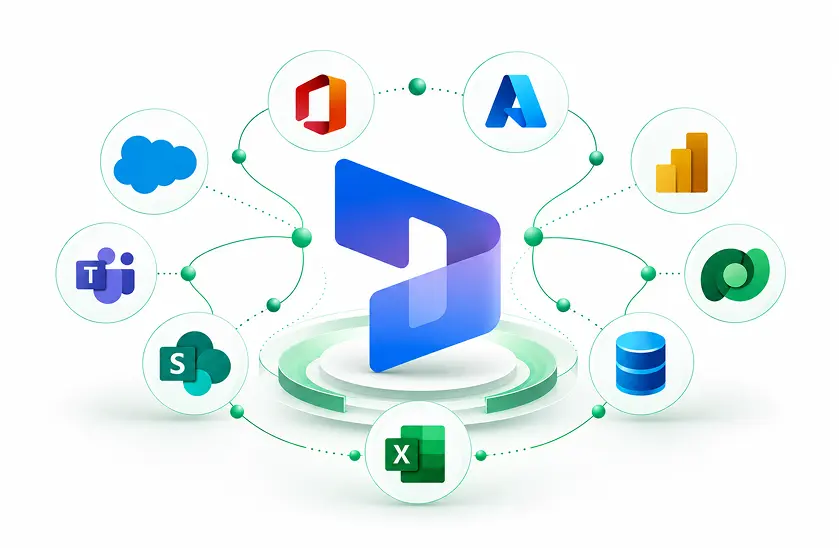
Connect Dynamics 365 with Microsoft 365 applications, including Outlook, Excel, Teams, and SharePoint, to improve collaboration, streamline document management, and enhance everyday productivity.

Dynamics 365 API and Third-Party Integration

Bring data and features together from external software by using APIs, connectors, and middleware - this allows secure data sharing between apps, extends the existing software, and supports your business goals.

Dynamics 365 Workflow and Process Automation

Automate approvals, notifications, record updates, and cross-application workflows using Power Automate and other suitable tools to reduce manual effort and improve operational consistency.

Dynamics 365 Data Integration and Synchronization

Synchronize data across Dynamics 365 environments and connected applications using suitable integration methods, field mappings, validation rules, and monitoring to maintain reliable, consistent business information.

Which Applications Can We Integrate with Dynamics 365?

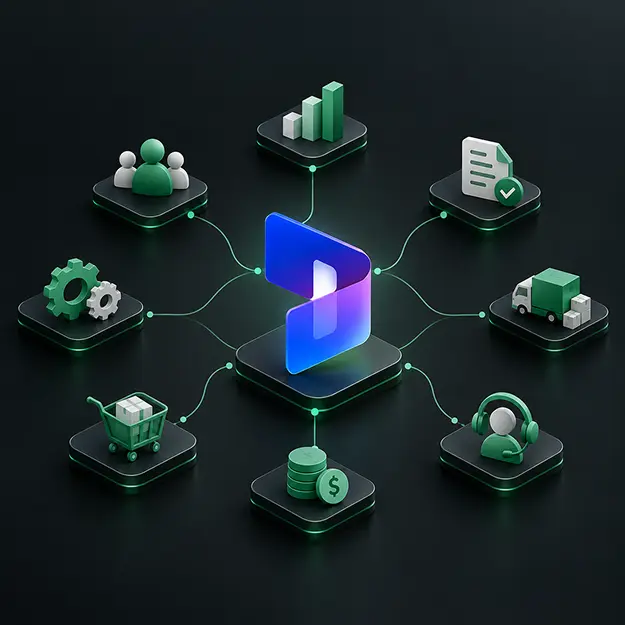
We connect Microsoft Dynamics 365 with the applications your business already uses, helping teams exchange information and coordinate processes across departments. Our integration approach considers application compatibility, data ownership, security requirements, and business objectives to deliver reliable connectivity.

  • Access the latest features, reporting tools, and AI-powered capabilities.
  • Strengthen security with supported updates and improved access controls.
  • Improve performance by optimizing workflows and resolving bottlenecks.
  • Protect business data through proper backups, validation, and recovery planning.
  • Maintain seamless integrations with Microsoft 365, Power BI, Power Platform, and third-party applications.
  • Support business growth with scalable systems and optimized operations.
CRM​‍​‌‍​‍‌ Solutions

Combine Dynamics 365 Sales, Customer Service, Field Service, and marketing platforms to manage customer communication, sales execution, and service provision together.

ERP and Financial Modules

Bring together Dynamics 365 Finance, Supply Chain Management, accounting systems, and enterprise resource planning platforms to link finance and daily operations.

Internet-based Sales and Shops

Link up e-commerce platforms, point-of-sale machines, payment gateways, and order tracking systems to keep products, customers, stock, and sales running like clockwork.

Marketing Software

Bring on board email marketing apps, lead generation software, communication platforms, and campaign managers to raise engagement levels and give better insight into marketing activities.

Employee and Info App

Get HR systems connected with Microsoft 365, content repositories, and collaboration apps to simplify the work-flow for employees and the exchange of information.

External and Legacy Systems

Link SQL databases, existing business applications, and legacy systems through the use of appropriate APIs, connectors, middleware, or custom integration ​‍​‌‍​‍‌components.

Dynamics 365 Integration with Power Platform and Azure

Microsoft Power Platform and Azure provide flexible capabilities for connecting applications, automating workflows, processing business events, and extending Dynamics 365 functionality. DynovateTech helps you select and configure the right technologies based on integration complexity, transaction volumes, security requirements, and operational needs.

Power Automate Integration

Automate approvals, notifications, record updates, and cross-application workflows using triggers, actions, and supported connectors.

Power Apps Integration

Develop custom business applications that work with Dynamics 365 and Dataverse to support specialized processes and user requirements.

Microsoft Dataverse Integration

Connect applications through shared business data, appropriate table relationships, and supported APIs to facilitate consistent information exchange.

Azure Logic Apps Integration

Orchestrate application connections, business workflows, and data transfers using cloud-based integration workflows and supported connectors.

Azure Service Bus Integration

Support asynchronous messaging and decoupled communication between systems where reliable message handling and independent application processing are required.

Azure Functions and API Integration

Build custom integration logic, transform payloads, validate data, and connect systems when standard connectors do not meet specific requirements.

Connect Your Business with Seamless Dynamics 365 Integration

Ready to eliminate data silos, automate workflows, and improve business efficiency? DynovateTech helps you connect Microsoft Dynamics 365 with your existing business applications through secure, scalable, and customized integration solutions.

Benefits of Microsoft Dynamics 365 Integration

A​‍​‌‍​‍‌ thoughtfully developed integration plan using Microsoft Dynamics 365 will be a huge factor in business performance optimization, enhancing the team synergy, as well as getting maximum returns on the investments already being made for the current systems and software. Multitasking, collaboration, or even using the existing resources can become seamless. Integration is one such area where combining various processes will not only streamline the work but also provide a single business performance view to the team.

Centralized​‍​‌‍​‍‌ Business Vision

Gain an overview of related customer data, sales data, and financial and operational aspects to support your company's decision-making by using suitable applications and reporting tools.

Elevated Operational Efficiency

By introducing automated integrations and optimized workflows, reduce repetitive data transfers and manual coordination between different people and departments.

More Accurate Data
More Accurate Data

The process of removing or preventing erroneous or duplicate entries by applying standardizations, validation, and synchronization rules can be supported with the aid of data validation mechanisms.

Superior Customer Service

Sales and service data sharing between different departments will lead to faster and better informed customer service responses, resulting in a consistent satisfaction level.

Quicker Decision Making Through Analytics

Combine business operations with the latest analytics tools for fast and accurate reporting, real-time performance monitoring, and development of strategic plans.

Adaptable Technology Infrastructure

As your business acquires extra apps, opens new markets, and modifies existing operational needs, continue to expand integrations as ​‍​‌‍​‍‌well.

Data​‍​‌‍​‍‌ Security and Integration Best Practices

For a secure integration of Dynamics 365, you have to take care of identities and permissions as well as data access and communication between different systems at a minimum. Our method makes sure that the integration of your system is secure and governed by the rules through the development stage. In fact, when creating your system integration, we take into account factors such as your level of risk, the compliance rules that apply, and the capabilities of the Microsoft platform for carrying out reliable, controlled data exchange only.

Role-Based Access Control

Give permissions and assign security roles in a way that users and integrations get access to only the resources they really need.

Secure Authentication and Authorization

Control access with the help of authentication methods that are recognized like Microsoft Entra ID and OAuth 2.0, only if the latter is applicable.

Data Encryption and Protection

Protect information from unauthorized access by employing secure protocols like HTTPS and encryption measures suitable for the data at hand. Also, when the environment supports it, keep data protected even when not being transferred.

Data Validation and Governance

Clarify who will own the data as well as how and when field mappings will be performed.

Monitoring and Audit Trails

Keep track, by means of logs, of when and how the integrations were executed along with what was changed.

Error Handling and Recovery

Develop retry strategies to cope with failures and use of the right exception processing to handle errors gracefully, in addition to data reconciliation activities and recovery strategies.

Tools and Technologies

A structured, data-driven approach to ensure seamless transition and immediate valuerealization.

Dynamics 365 Upgrade & Assessment
  • Dynamics 365 Finance
  • Dynamics 365 Supply Chain Management
  • Dynamics 365 Business Central
  • Dynamics Lifecycle Services (LCS)
Code Analysis & Modernization
  • X++ Code Upgrade
  • Upgrade Analyzer
  • Extension-Based Customization
  • Visual Studio
Data Migration & Validation
  • Data Management Framework
  • Data Entities
  • SQL Server
  • Data Validation Tools
Testing & Quality Assurance
  • Regression Suite Automation Tool (RSAT)
  • Task Recorder
  • Automated Testing
  • User Acceptance Testing (UAT)
Deployment & DevOps
  • Azure DevOps
  • Azure Pipelines
  • Git Version Control
  • Build Automation
Integration & Performance
  • OData & REST APIs
  • Azure Monitor
  • Application Insights
  • Performance Testing

Why​‍​‌‍​‍‌ choose DynovateTech for your Dynamics 365 integration services?

DynovateTech enables businesses to effectively link Microsoft Dynamics 365 with other applications, data sources, and enterprise systems through solid, well-designed integration strategies that are focused on business processes. We are committed to developing sustainable integration systems that not only solve real-time business issues in operations but also support strategic goals and become the digital platform for the company's future.

We have a Business-Aligned Integration Strategy

Our work follows your company’s business processes, operational priorities, and technology objectives that you can measure

We provide Customized Integration Solutions

We adjust connectors, workflows, API integrations, and data synchronize according to your system needs.

We are masters of Microsoft technologies

We understand relevant Dynamics 365 applications, Dataverse, Power Platform, and Azure integration capabilities; therefore, the solutions we come up with will fit with your business perfectly.

We ensure Data Quality and Reliability

Our emphasis on accurate mapping, validation, error handling, and monitoring guarantees stable information exchange.

Scalable and Maintainable Architecture

Future-proofing our solutions means that we take into consideration possible application extensions, changes in workload demand, support level, and complexity of integration when designing the solution.

Ongoing Support and Optimization

We'll be your partner during troubleshooting the integration; we'll take care of performance and will do it periodically, and also will redevelop workflows according to changing business ​‍​‌‍​‍‌needs.

Our Dynamics 365 Integration Process

True​‍​‌‍​‍‌ success of an integration goes well beyond the level of merely linking applications. Our methodical implementation journey considers everything from business needs to data security, system compatibility, security, and long-term maintainability. We collaborate with your stakeholders to establish a solid understanding of integration requirements, ensure the solution delivers on its promises, and get your connecting systems ready for smooth operation.

Business and Technical Assessment

Evaluate the existing applications, business operations, data sources, integration problems, and expected outcomes to get the actual size of this project.

Integration Architecture and Planning

Choose the type of integration, data flow models, Application Programming Interfaces (APIs), middleware, synchronization requirements, security features, and technical dependencies suitable for your situation.

Data Mapping and Transformation

Identify which elements of different databases should be linked together, locate the keys for identification, standardize formats, and develop validation rules for data integrity.

Integration Development and Configuration

Perform configuring connectivity tools, APIs, flows, synchronization procedures, and other components aligned with the integration framework already approved.

Testing and Validation

Make sure that the sample data is authentic, that the log-in methods operate perfectly, that any problems are handled, that the overall system performance meets expectations, and that all the business cases are properly dealt with and there is a way to get back after the crash.

Deployment and Continuous Improvement

Roll out the integration, keep an eye on the execution and when things went wrong fix the problems, write up the configurations and as the business requirements change, adjust the procedures accordingly.

Frequently Asked Questions

Everything you need to know about Dynamics 365 ERP implementation with DynovateTech.

This service is for connecting the Dynamics 365 platform with the other business software that you use so that the data between systems gets synchronized, processes get automated and, ultimately, business operations get more streamlined.

Microsoft 365, Power BI, Azure, e-commerce solutions, accounting packages, marketing automation technologies, and various third-party platforms are all capable of integrating with Dynamics 365.

Dynamics 365 does provide integration capabilities with existing ERP and CRM systems through the use of Application Programming Interfaces (APIs), connectors, middleware, and bespoke integrations.

Power BI can make connection with Dynamics 365 data sources that it supports to develop dashboards that let you drill down, reports, and business performance dashboards that will give you actionable insights.

The short answer is yes, because Dynamics 365 has different methods of integration with external software. These integrations mean including APIs that are already available, the use of supported connectors, the deployment of middleware, and implementation of custom integration solutions.

Popular tools used for Dynamics 365 integrations are Azure Logic Apps, Azure Functions, Dataverse APIs, and Azure Service Bus in addition to Power Automate.

Simple integrations can be done in a couple of days or weeks, whereas more complicated ones, where you have several systems involved or custom development, it can take few months.

Pricing depends on how complex the integration is, how many applications you will need to integrate, whether or not custom development is needed, data volume that you have, licensing options and support.

Yes. Security features such as authentication, access controls, encryption, data validation, and monitoring ensure that integrated systems and business data are safely protected.

Yes, legacy systems can be connected to other systems through APIs, middleware, database adapters, or even custom integration tools.

We do! Integration support services could consist of debugging, performance checks, synchronizing verification, solving errors, plus improvement of integration.

Look for consultants with adequate technical knowledge and a good understanding of security, a transparent and well-organized implementation plan, and dependable long-term support service.