










ZS Logo
Lady Boss Logo
Webcor Logo
IHG Logo
Lucidya Logo
i.am+ Logo
InterContinental Hotels and Resort Logo
Sandvik Logo
NTPC Logo
Wipro Logo
MB Aerospace Logo
NBK Logo
KRONES Logo
avaloq

Understanding Microsoft Dynamics NAV ERP

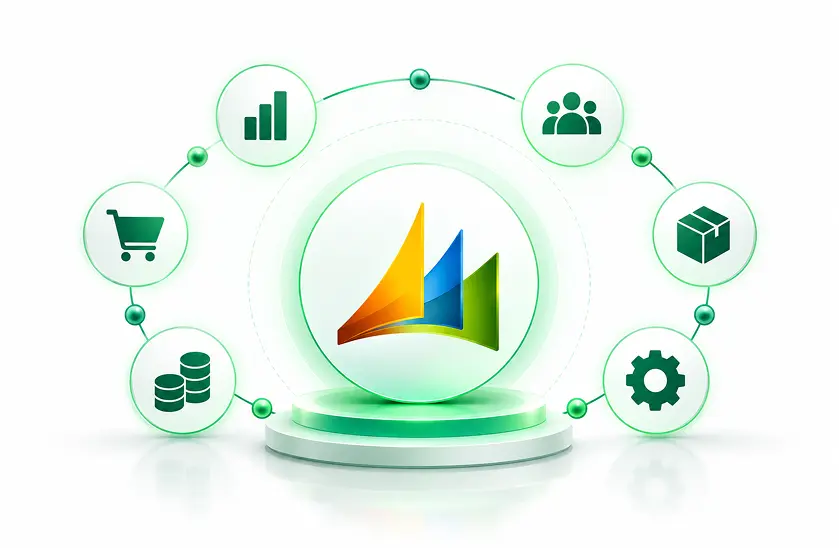
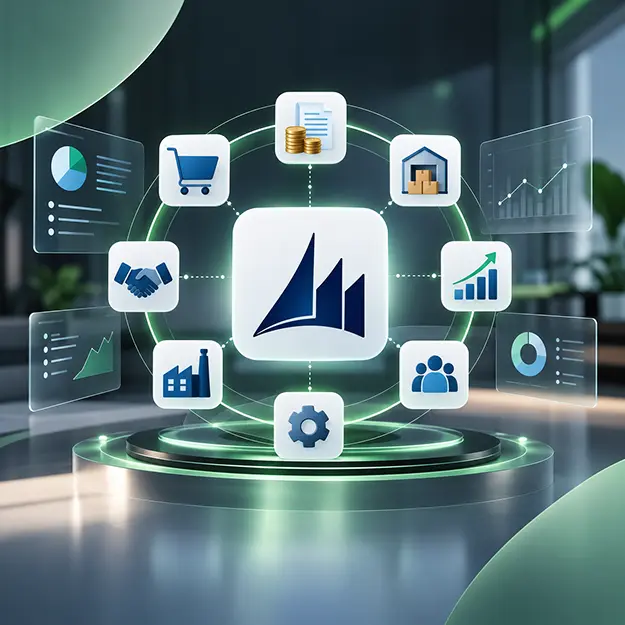
Microsoft Dynamics NAV (Navision) was an enterprise resource management system that could bring together all the important functions of finance, supply chain, manufacturing, sale and service into one system. Now that it was been replaced by Microsoft Dynamics 365 Business Central, which is a more advanced, modern software for the changing business needs of today.

  • Finance Management: Manage general ledger, accounts, budgets, and financial reports.
  • Inventory Management: Track stock levels, warehouse operations, and inventory value.
  • Purchasing & Sales: Manage customer orders, vendor purchases, invoicing, and fulfillment.
  • Manufacturing: Streamline production planning, materials, and shop-floor operations.
  • Supply Chain: Optimize procurement, replenishment, inventory, and distribution.
schedule a demo
Understanding Microsoft Dynamics NAV ERP

Our Microsoft Dynamics NAV Services

DynovateTech is committed to helping organizations unlock the maximum potential of their Dynamics NAV system. Our team of highly-skilled professionals will support and enhance the company's business processes and systems through the power of the Microsoft Dynamics NAV platform, together with business know-how and hands-on technical knowledge.

  • Microsoft Dynamics NAV implementation and configuration
  • Customization to meet specific business requirements
  • Data migration and system upgrades
  • Integration with Microsoft 365, Power BI, and third-party applications
  • Workflow automation and performance optimization
  • Ongoing technical support and maintenance
Dynamics NAV Consulting

We assess your Dynamics NAV environment, business processes, and technical challenges to recommend practical improvements that enhance system performance, visibility, and long-term business growth.

Dynamics NAV Customization

While changing NAV workflows, reporting, forms, business rules, and integrations to tailor them to your company processes you will be getting our support to maintain system stability, data, consistency and the potential for future upgrades.

Dynamics NAV Support and Maintenance

We keep your Dynamics NAV system updated, resolve technical issues, optimize performance, and provide integration support to ensure reliable and efficient operations.

Dynamics NAV Upgrade Service

We check everything related to your current NAV version, the database, the custom built objects, and also the third-party dependencies before planning a well-structured upgrade to include data validation, regression testing, and a controlled deployment.

Dynamics NAV to Business Central Migration

If you want to transition to Dynamics 365 Business Central we first evaluate your data, customisations, integrations, and infrastructure then we coordinate the migration, testing, user preparation, and post-launch optimization.

Dynamics NAV Data Migration & Integration

Seamlessly connect Dynamics NAV with Microsoft 365, Power BI, and third-party applications while ensuring secure data migration and smooth information sharing.

Microsoft Dynamics NAV Services and Migration Solutions

If you already have a large ERP system that you can't get rid off, then fixing individual problems and patching are insufficient. DynovateTech is capable of doing everything with NAV plus we follow a methodical and well-documented way to deal with system care, system updating, and the ability to continue running the business without interruption. We support customers to optimize existing workflows, reduce technical risks, and have ERP environments ready in terms of infrastructure and technology to cope with business changes.

Microsoft Dynamics NAV Services and Migration Solutions
ERP Health Assessment

Review system design, performance, configuration, and technical dependencies. Identify potential risks and areas that require improvement to ensure system stability.

Functional Efficiency

Enhance finance, purchasing, sales, inventory, and operational workflows. Streamline daily processes to improve productivity and operational efficiency.

Solving Technical Issues

Identify recurring problems, processing delays, and database issues. Implement effective solutions to minimize downtime and maintain system reliability.

Managing Integration

Check data exchange with Microsoft applications, e-commerce platforms, CRM systems, and other external services. Ensure seamless communication and consistent data flow across connected systems.

Determining Upgrade Paths

Check version compatibility, customization requirements, and potential upgrade options. Develop a suitable upgrade strategy that supports business needs while minimizing disruptions.

Migration Readiness

Review data quality, legacy functionality, infrastructure, and Microsoft Dynamics 365 Business Central migration requirements. Identify potential challenges and prepare a structured migration plan for a smooth transition.

Manage the Complete Project Lifecycle With Dynamics 365

Microsoft Dynamics 365 Project Operations links together sales, resourcing, project management, and finance in order that organizations based on projects may manage their work from the stage of opportunity and estimation right through to execution, invoicing, and financial analysis.

500+

PROJECTS DELIVERED

98%

CLIENT SATISFACTION

130+

TEAM MEMBERS

10+

YEARS IN BUSINESS

What areas of a business can Microsoft Dynamics NAV assist the business in managing?

If business functions are otherwise isolated from each other in separate systems or even spreadsheets, it is through Microsoft Dynamics NAV that you get the integration of business functions. With an appropriate initial setup and regular maintenance, it helps different departments in the organization to track transactions, manage their workloads, and share accurate operational information across the company.

Financial Management

Deal with accounting entries, cash flow management, management of receivables and payables, budgeting, and the generation of financial reports inside a connected ERP environment.

Inventory and Warehouse Operations

Track the level of inventory, items, movements, stock refills, and warehouse functions in order to have a good grip on tangible products.

Sales and Customer Orders

Schedule quotations, customer order placing, invoicing, pricing, and goods delivery, meanwhile enhance the understanding of the customer transaction activities.

Purchasing and Vendor Management

Control order placing with suppliers, supplier profiles, invoice processing, and purchase workflow in order to maintain a highly accurate and controlled procurement system.

Manufacturing and Production

Manufacturing planning, bills of materials creation, routing, capacity planning, and production cost accounting can be supported within the limits of the configuration and licensing.

Reporting and Operational Visibility

Review financial results, inventory movements, purchasing activity, and operational trends with the help of available reports and compatible analytics tools using ERP data.

Ready to Optimize Your Microsoft Dynamics NAV System?

Get expert assistance with Dynamics NAV consulting, customization, support, upgrades, and migration to Microsoft Dynamics 365 Business Central. Let DynovateTech help you improve ERP performance and plan your next steps with confidence.

When Should You Consider Upgrading Microsoft Dynamics NAV?

The current Microsoft Dynamics NAV system that you are using most probably is still supporting your daily operation, but its version, the infrastructure, model of customization, and status of support can all be factors in your future maintenance and upgrading decisions. An upgrade decision is generally a matter of weighing all the pros and cons and understanding in detail the consequences of maintaining the status quo, upgrading or platform change.

NAV Version Is Nearing End of Support

To find out when security updates and other product support may end, check Microsoft's lifecycle dates, your installed version. For instance, Dynamics NAV 2018 extended support ends on January 12, 2028. Microsoft Learn

Doing Routine Maintenance Has Got Difficult

With frequent technical issues, outdated dependencies and scarcity of specialists, maintenance becomes more and more demanding and expensive each day.

Your Business Has Outgrown Existing Workflow

New entities, locations, products, or operational processes may require capabilities that your current configuration cannot efficiently support.

Integrations Need Modernization

You may face difficulties in connecting your existing applications, cloud services, and reporting tools with outdated connections, also the ones with partners' systems that keep changing.

Reporting and Accessibility Need Improvement

If reporting, browser-based access, and integration with modern analytics and collaboration tools are limited, consider upgrading to a newer ERP platform. Improved accessibility and reporting can help teams make faster, data-driven decisions.

Customizations Limit Your Options of Future Changes

Extensive customizations can complicate ERP upgrades and migrations. Evaluate existing dependencies to determine which customizations should be updated, replaced, or retired. Simplifying customizations can reduce maintenance costs and make future upgrades easier.

Rising Operational Costs

If maintaining your existing Dynamics NAV system requires increasing time, resources, and expenses, upgrading can help improve efficiency and reduce long-term maintenance costs.

Need for Better Security and Scalability

If your current system struggles to meet evolving security requirements or support business growth, consider upgrading to a modern ERP platform that offers stronger security and greater scalability.

Dynamics NAV to Business Central Migration

Moving from Dynamics NAV to Microsoft Dynamics 365 Business Central can help modernize ERP operations, but the right migration approach depends on your NAV version, customizations, data, integrations, and deployment preferences. Microsoft documents supported NAV-to-Business Central upgrade pathways, including intermediate upgrade steps before moving to the cloud.

Current System Assessment

Examine your NAV version, database, company structure, custom objects, add-ons, integrations, and business critical processes.

Migration Strategy and Planning

Based on compatibility, business continuity, requirements of your historical data, complexity of customizations, preferences for cloud or on-premises, you need pick a migration path that is most appropriate to you.

Data Preparation and Cleansing

Duplicates, inconsistencies in master data, obsolete records, and data dependencies prior to migration must be addressed first.

Customization Conversion

Evaluate the old C/AL customizations and figure out which way you would like to convert the functionalities as AL extensions or completely reshape them for Business Central. Handling of customization by extension should be appropriate in Microsoft's online migration guidance.

Migration Testing and Validation

Before switching systems, validate the financial balances, inventory, transactions, permissions, reports, integrations, and business scenarios that are the most important for the company.

Deployment and Post-Migration Support

Work together on the switching of systems, user training in case of issues, performance monitoring and continuous optimization, this will help teams get comfortable with a new environment.

Industries We Support

The team at Dynovate helps companies identify their current NAV environment and see how they can optimize it for their workflow, reporting needs, and day-to-day business requirements which are very different from one industry to another. We take the approach that different industries will have different processes and will not all be using the same processes.

Manufacturing icon

Manufacturing

Assist and manage the company's production planning, bills of materials, inventory control, purchasing, and product costing.

Wholesale and Distribution icon

Wholesale and Distribution

Boost and simplify the company's inventory tracking, procurement cooperation, ordering processes, and warehouse control.

Retail and E-commerce icon

Retail and E-commerce

Connect inventory, purchasing, sales transactions, and compatible commerce platforms where supported by the existing solution.

Professional Services icon

Professional Services

Improve financial management, project-related reporting, resource visibility, and billing workflows where configured.

Construction and Engineering icon

Construction and Engineering

Support purchasing, job costing, inventory, financial tracking, and project-related reporting according to business requirements.

Import and Export Businesses icon

Import and Export Businesses

Coordinate purchasing, inventory, vendor transactions, sales, and financial reporting across relevant business operations.

Healthcare and Medical Services icon

Healthcare and Medical Services

Manage financial records, inventory, purchasing, and operational workflows to support efficient business management.

Food and Beverage icon

Food and Beverage

Improve inventory tracking, procurement, product costing, purchasing, and supply chain operations.

Why Choose DynovateTech?

Choosing the right Dynamics NAV service provider means finding a team that understands both your existing ERP environment and your future business objectives. DynovateTech takes a process-first approach to troubleshooting, customization, upgrades, and modernization.

Business-Process-First Approach

We evaluate how your teams work before recommending system changes, helping align ERP improvements with practical business goals.

Customized Technical Solutions

Based on your existing customizations and how various systems tie together, we will recommend customized solutions that truly meet your business needs.

Well-Planned Upgrade Management

By taking into account factors such as version compatibility, the existence or lack thereof of dependencies, testing, data validation, and deployment needs, we will only recommend an appropriate upgrade path.

Migration Specialists

We assist clients in risk analysis, determining the needs for reworking of legacy systems, data dependencies, and transition strategy selection to Business Central.

Integration and Workflow Improvement

Our team works on how NAV communicates with external applications and other business applications to pinpoint the areas in which they can be brought up to the same level and thus manually handled work can be reduced significantly.

Continuous support and optimization

Besides technical support, we ensure your system keeps running smoothly and the changes to business needs and new technologies are reflected in your plan for improvement.

Tools and Technologies

A structured, data-driven approach to ensure seamless transition and immediate valuerealization.

Microsoft Dynamics NAV Versions
  • Dynamics NAV 2018
  • Dynamics NAV 2017
  • Dynamics NAV 2016
  • Dynamics NAV 2015
  • Dynamics NAV 2013
Development & Customization
  • C/SIDE Development Environment
  • Visual Studio Code
  • AL Development
  • C/AL Programming
Database & Data Management
  • RapidStart Services
  • NAV Data Migration Tools
  • SQL Server Management Studio (SSMS)
  • Microsoft SQL Server
Integration & Connectivity
  • REST APIs
  • SOAP Web Services
  • OData Web Services
  • Microsoft Power Automate
Reporting & Analytics
  • Excel Integration
  • NAV Reports
  • SQL Server Reporting Services (SSRS)
  • Microsoft Power BI
Cloud & Infrastructure
  • Microsoft 365
  • Windows Server
  • Azure Virtual Machines
  • Microsoft Azure
Testing & Deployment
  • User Acceptance Testing
  • Git Version Control
  • Automated Testing Toolkit
  • Microsoft Lifecycle Services (where applicable)

Frequently Asked Questions

Everything you need to know about Dynamics 365 ERP implementation with DynovateTech.

Microsoft Dynamics NAV is a comprehensive enterprise resource planning (ERP) solution that helps manage areas like accounting, inventory levels, sales, purchasing, production, and other business operations. The product was known previously as Navision and is currently the predecessor product of Microsoft Dynamics 365 Business Central.

Your support status is based on the NAV version that you have. NAV 2018's extended support is set to end in January 12th of 2029. Different Lifecycle dates apply to the old products meaning you are supposed to refer to Microsoft's official Lifecycle documentation for your installed version if you are not sure about the dates. If you need additional clarification, consult our website

Navigation Dynamics, on the other side, are products from the past, but it is Business Central that was built with modern technology as their successor. Cloud deployment, continuous updates, modern integrations, and customization based on the extension are provided by Business Central with the possibility of deploying either in clouds or using physical servers.

Migration is indeed possible from Microsoft Dynamics NAV toBusiness Central. Microsoft has outlined several ways customers can transferNAV toBusiness Central by upgradingNAV versions via different upgradepaths. At minimum, the procedure will feature one or more intermediateBusinessCentral releases, data conversion, redevelopment of customizations, integrationtesting, and validation, all prior to implementing the new system.

Your NAV version, database size, number of customizations, integrations, data quality and deployment model are only a few of the factors that influence the cost of a migration project. A technical assessment can help you to identify the project scope, resource requirements, estimated timelines, and a realistic migration budget.

The length, complexity, degree of customization, and the thoroughness of testing are among the determinants of the duration of the process. If only minor changes are required, an upgrade might be done quickly - within weeks, but complex migration with a number of integrations and extensive redevelopment can take several months.

Of course, so long as the system continues to perform well and suits the needs of your business operations it is possible. Nevertheless, look closely at the product life cycle dates, security, infrastructure compatibility and maintenance issues before deciding on the extent to which you can still rely on your old system.

Each of the changes that were made to the system needs to go through a careful assessment. If you decide to move fully online to run Business Central, the old C/AL code will have to be changed to AL extensions or be appropriately redesigned. Some features that have been custom-developed may need to be replaced, and the respective data will definitely need to be part of the migration plan. Microsoft Learn

Most probably, this link can be done by means of the connectors that are supported, APIs, extensions or even middleware. However, this will depend upon the version of NAV that you have and the underlying architecture. A Power BI report and connectivity with Microsoft 365 would require the checks of compatibility and proper configuration.

Evaluate your current version, support status, infrastructure, customizations, integration requirements, and future business goals. Upgrading may suit specific on-premises needs, while a Business Central migration can provide a modernization path for eligible environments.