











ZS Logo
Lady Boss Logo
Webcor Logo
IHG Logo
Lucidya Logo
i.am+ Logo
InterContinental Hotels and Resort Logo
Sandvik Logo
NTPC Logo
Wipro Logo
MB Aerospace Logo
NBK Logo
KRONES Logo
avaloq

Upgrade Your Business with Dynamics NAV to Business Central Migration

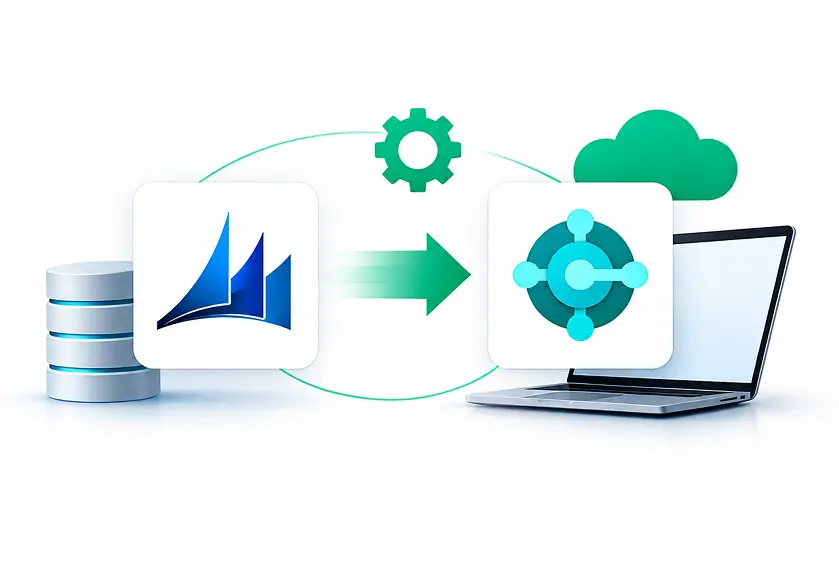
Dynamics NAV allows businesses to manage their processes; however, as businesses develop, a modern and flexible system is required. Dynamics 365 Business Central provides one comprehensive system with various cloud features. It receives regular updates, has powerful reporting capabilities and includes AI powered features. Migrating from Dynamics NAV to Business Central can be done with minimal disruption to normal operations. We will analyse your existing ERP system, understand technical dependencies and plan a migration strategy to suit your business goals.

  • Upgrade existing Dynamics NAV to supported Business Central.
  • Transfer financial, stock control, sales, purchase and business data.
  • Convert legacy C/AL customisations into new AL extensions if required.
  • Analyse 3rd party applications, integrations, reports and processes.
  • Select Business Central Online, or a suitable on-premise option.
schedule a demo
Upgrade Your Business with Dynamics NAV to Business Central Migration

Why Migrate from Dynamics NAV to Business Central?

Microsoft Dynamics 365 Business Central provides a modern ERP solution to meet the changing needs of businesses. Migrating from NAV means you can overcome limitations of your current system and put your business in a good position for future growth.

  • Move away from outdated and unsupported NAV versions
  • Reduce security risks and compatibility issues
  • Access a cloud-based ERP with automated updates
  • Keep familiar NAV processes and ways of working
  • Connect with Microsoft 365, Power Platform and Copilot
  • Lower infrastructure costs with predictable licensing

Risk of Ending Support

Older versions of Dynamics NAV may be reaching or have reached their end of life in terms of support from Microsoft. Migrating will help reduce security risks, reduce compatibility issues, and move away from obsolete systems.

Online Cloud Service and Automated Updates

Using Business Central Online provides a cloud solution. The software will be periodically updated as it is hosted on Microsoft’s infrastructure. The ERP system can be accessed in-cloud by users within your business, meaning that you do not need to host a server.

Traditional NAV Style

Business Central shares many familiar processes from NAV, allowing users to perform the same accounting, stock management, purchasing and selling and reporting tasks. Therefore, users can continue to work in the same way.

Microsoft 365 and Power Platform

Business Central can be integrated with Outlook, Excel, Teams, Power Automate and Power BI. This improves collaboration within teams, automates repetitive tasks and improves sharing of information.

Copilot and AI

Business Central allows Microsoft Copilot and AI Assistants to be used within the working environment. Customers using Business Central Online can utilise supported tools for analysis, automation and productivity.

Lower Infrastructure Cost

If migrating to Business Central Online, costs associated with maintaining, upgrading and managing in-house systems can be saved. Instead, a subscription model can be used, meaning predictable licensing costs.

NAV to Business Central Migration Services We Offer

Every instance of Dynamics NAV will be configured differently. We provide services to upgrade, modernise, migrate data and provide support for your ERP system.

Migration Assessment

Migration Assessment

To determine what is required for the migration, we will analyse the current version of NAV, database, bespoke objects, integrations and infrastructure. This will give us insight into technical risks, dependencies and a suitable upgrade path.

NAV to Business Central Upgrade and Migration

NAV to Business Central Upgrade and Migration

We will upgrade your instance of Dynamics NAV to Business Central. This will follow supported intermediate versions. Essential data and configuration will be migrated to ensure that the application remains compatible with your requirements.

C/AL to AL Customization Conversion

C/AL to AL Customization Conversion

By analysing C/AL objects, we can convert required bespoke functionality to AL extensions. This puts your ERP in line with the extension structure in Business Central. However, key business logic will be maintained.

Post-Migration Support

Post-Migration Support

We offer support following migration. We will monitor the Business Central system, train users, identify and fix integration issues, improve performance, resolve issues, and make configuration improvements to ensure stable operation of Business Central.

Data Validation and Testing

Data Validation and Testing

We validate migrated data and test workflows, transactions, inventory and financial records to ensure accuracy and smooth system performance.

Business Central Integration and Configuration

Business Central Integration and Configuration

We integrate Business Central with existing applications, configure workflows and automate data exchange for seamless business operations.

Benefits of Migrating from Dynamics NAV to Business Central

Dynamics 365 Business Central offers key ERP functions alongside Microsoft’s cloud solutions. Businesses can improve productivity and gain greater insight in operations. By planning a migration, processes and technologies can be brought up to date.

Modern Cloud ERP

Managing finances, the supply chain, sales, purchases, and stock control can all be done using a modern ERP. With Business Central Online, users can interact with the ERP from any location/device via browsers.

Always Up to Date

Business Central Online will be regularly updated with Microsoft. Enhancements, security improvements and new features will be added. This reduces the burden for businesses to manually update systems.

Better Reporting and Insights

Use built-in analysis capabilities, Excel integration, and Power BI to understand financial performance, inventory movement, sales trends, and operational results through accessible business information.

Stronger Security with Microsoft Entra ID

Business Central integrates with Microsoft Entra ID to provide secure authentication. User access, permissions and security policies within the business can be more efficiently managed.

Easier Integrations

Business Central can be integrated with Microsoft 365, Power Platform, banking systems, e-commerce applications and supported 3rd party solutions using APIs, connections and extensions.

Future-Ready ERP Platform

Business Central can support growing business requirements. This is due to configurable modules, extensibility, cloud-based capabilities and developments in AI-driven business applications by Microsoft.

Talk to Our Dynamics NAV Migration Experts

Ready to modernize your ERP system? Partner with DynovateTech for a planned transition from Dynamics NAV to Microsoft Dynamics 365 Business Central. Contact DynovateTech today to discuss your existing NAV environment and receive a migration roadmap aligned with your business requirements.

What We Assess Before Your NAV to Business Central Migration

A thorough consideration will be made prior to migration to identify any potential dependencies. This can influence the timing, cost and functionality of the migration. We consider the current ERP system in order to recommend a migration strategy.

C/AL Customizations

C/AL Customizations

We identify modified standard objects, bespoke code units, tables, pages and reports. This identifies what functionality within the system will need converting, redesigning, replacing and removing.

ISV Add-Ons

ISV Add-Ons

We identify any ISV applications in place. We look into licensing requirements, compatibility, and available Business Central extensions to identify suitable replacement solutions.

Integrations

Integrations

We document existing connections with CRM platforms, payroll applications, banking systems, e-commerce websites, and external databases to plan compatible integration methods.

Custom Tables and Fields

Custom Tables and Fields

We identify custom tables. Additional fields, relationships, keys and dependencies are identified to understand how information can be carried forward using extensions.

Historical Data

Historical Data

We identify volume of transactions, posted data, archived data, attachments and report requirements. From this, we will identify what historical information should be moved to Business Central.

Users and Security

Users and Security

We will identify current user accounts, permission sets, user roles, approvals and restrictions. From this, we will create an appropriate security structure.

Reports and Documents

Reports and Documents

We will analyse bespoke reports, document design, invoices, purchase orders, financial reports and other business documents. We will identify what needs redesigning or replacing.

Workflows and Processes

Workflows and Processes

We document approvals, posting processes, stock management processes, financial processes and department processes to ensure key business requirements are met.

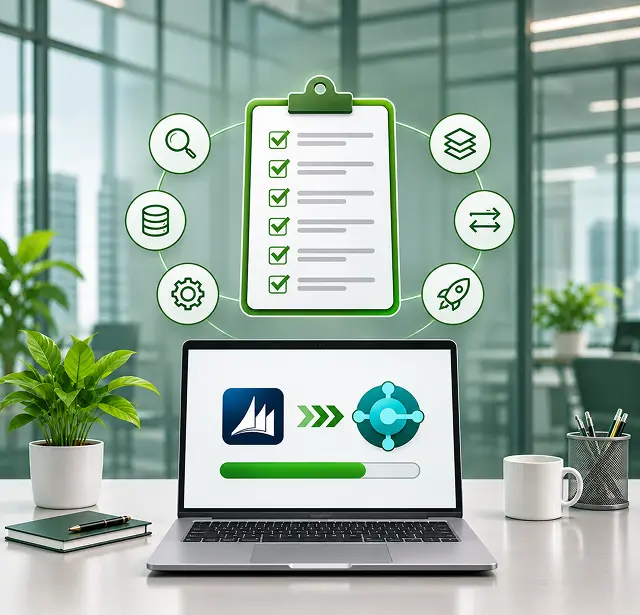
Dynamics NAV to Business Central Migration Checklist

Preparation is essential for a successful ERP transition. Use this checklist to organize your existing NAV information, technical requirements, and migration priorities before starting the project.

Dynamics NAV to Business Central Migration Checklist

Confirm Your NAV Version

Identify what version of Dynamics NAV you are on, with build numbers, database version and localisation. This will determine what supported upgrade paths are available, technical requirements, and how complex the migration will be.

List Your C/AL Customizations

Export and document modified objects, including tables, pages, reports, and codeunits. Identify essential functionality requiring AL conversion, redesign, or replacement.

Check Your ISV Add-Ons

Create a list of 3rd party applications and extensions in place. Confirm compatibility with Business Central. Check with vendors to confirm support. Identify suitable replacement solutions and if the application can be upgraded.

Document Your Integrations

Identify what applications are integrated. Identify any APIs, scheduled jobs, web services, banking systems or external databases. Identify authentication methods. Identify dependencies requiring changes to integrate.

Review Your Data and History

​​Evaluate master records, opening balances, posted transactions, archived documents, attachments, and retention requirements. Decide which historical information must remain accessible.

Map Users and Permissions

Document employees, departments, roles, permission sets, approval hierarchies, and access restrictions. Recreate appropriate security configurations in the target environment.

Choose Your Upgrade Path

Determine how to upgrade. Consider if a full upgrade, or re-development, or cloud upgrade is most suitable to meet business and technical requirements. Ensure the route is in line with supported upgrade guidance.

Plan Testing and Go-Live

Decide on testing scenarios. Decide on reconciliation methods. Decide on user acceptance criteria. Create backup plans. Determine who will be responsible for production go-live and considerations for rolling back.

Industries We Serve

We help businesses across diverse industries modernise their ERP systems through seamless Dynamics NAV to Business Central migration. Our industry-focused solutions address unique operational challenges, improve process efficiency and support long-term business growth.

Manufacturing icon

Manufacturing

Optimise production planning, material requirements, inventory control and shop-floor operations. Business Central helps manufacturers improve resource utilisation, monitor production costs and maintain better visibility across the supply chain.

Retail and E-commerce icon

Retail and E-commerce

Streamline sales management, stock tracking, order processing and customer operations. Improve inventory visibility across multiple locations, manage purchasing efficiently and gain better insights into sales performance.

Wholesale and Distribution icon

Wholesale and Distribution

Simplify procurement, warehouse management, inventory tracking and distribution workflows. Business Central helps distributors manage supplier relationships, automate order processing and maintain accurate stock levels across warehouses.

Professional Services icon

Professional Services

Improve project costing, resource allocation, service delivery and financial management. Gain better control over project budgets, track billable hours, manage client invoicing and generate detailed reports to support business decisions.

Construction icon

Construction

Manage complex projects with better control over budgets, procurement, subcontracting and resource allocation. Business Central helps construction companies monitor project expenses, track financial performance and improve coordination across ongoing projects.

Logistics and Transportation icon

Logistics and Transportation

Optimise shipment management, warehouse operations, transportation planning and delivery processes. Gain better visibility into inventory movement, streamline operational workflows and improve coordination between suppliers, warehouses and customers.

Nonprofit and Education icon

Nonprofit and Education

Simplify fund accounting, grant tracking, budget control and financial management across programmes and departments. Business Central helps nonprofits and educational institutions monitor spending, improve transparency and report accurately to stakeholders and funding bodies.

Financial Services icon

Financial Services

Strengthen financial reporting, compliance, approval workflows and client account management. Business Central helps financial services firms maintain accurate records, control user access and produce audit-ready reports that support faster, more confident decisions.

NAV to Business Central Migration Challenges and How We Solve Them

Legacy ERP systems often contain years of custom development, integrations, and accumulated business information. We address these challenges through structured technical planning and validation.

C/AL Customizations

Bespoke functionality developed in legacy systems may not be compatible with Business Central. We analyse objects and convert essential functionality to AL extensions. We thoroughly test business logic.

ISV Add-Ons

Some add-ons in NAV may not be compatible with Business Central. We identify compatible solutions, work with vendors, and identify alternative extensions. Decisions can then be made for migration.

Undocumented Integrations

Legacy integrations may include outdated APIs or scripts or direct database connections. We investigate current dependencies and implement compatible integration in a supported manner.

Poor Data Quality

Repeat data, inconsistent master data and incomplete transaction data can create challenges. We identify data issues and recommend improvements to data quality. Migrated data will be systematically validated.

Large Historical Data

Large volumes of data and historical data can cause longer migration times. We identify data retention requirements, optimise migration scope, and plan staged validation.

User Adoption

Users may struggle getting to grips with changes to interfaces and processes. To help with adoption, we provide user-specific training, demonstrations, documentation and support after go-live.

Our NAV to Business Central Migration Process

We follow a step-by-step process to migrate, to reduce technical complexity, minimise disruption and maintain clear visibility of progress. Within each step we complete specific actions and validation steps.

Discovery and NAV Assessment

Discovery and NAV Assessment

We will review your current NAV version, database, infrastructure, bespoke development, integrations, and processes to understand migration requirements. Dependencies are identified and project aims defined.

Upgrade Path and Migration Planning

Upgrade Path and Migration Planning

We determine a suitable supported upgrade path. We identify if Business Central should be moved to on-premise or cloud. Project effort is estimated, resources allocated and migration stages defined.

C/AL to AL Customization Conversion

C/AL to AL Customization Conversion

We analyse objects in the legacy system. We convert required bespoke functionality to AL extensions. Compatibility issues are resolved and functionality tested in line with the target Business Central.

Data Migration and Setup

Data Migration and Setup

We prepare databases, configure the target environment, migrate selected business records, establish company settings, and configure essential financial and operational parameters.

Testing and Data Validation

Testing and Data Validation

We conduct functional, integration, and user acceptance testing, comparing financial balances, inventory quantities, transaction records, and critical workflows against validated source information.

Go-Live and Post-Migration Support

Go-Live and Post-Migration Support

Final data synchronisation, production go live, user access and business checks are coordinated. Technical support, issue resolution and performance monitoring is provided.

Why Choose DynovateTech for NAV to Business Central Migration?

Choosing the right migration partner helps reduce technical risks and ensures your ERP transition supports long-term business objectives. DynovateTech combines technical expertise with a business-focused implementation approach.

Business-Focused Consulting

Business-Focused Consulting

We understand how ERP systems support business. Migration decisions will be made with your financial, business, and organisational requirements in mind.

NAV and Business Central Expertise

NAV and Business Central Expertise

We understand the technical structure of NAV, legacy bespoke developments, data structure and capabilities within Business Central. We can help plan a suitable and realistic migration.

Structured Migration Methodology

Structured Migration Methodology

We follow clearly defined migration phases, project milestones, testing procedures, and validation checkpoints to maintain transparency and manage project complexity.

Data Accuracy Focus

Data Accuracy Focus

We prioritise accurate data migrations. We will analyse data, map data, validate and reconcile financial data, stock data and key business transactions.

Comprehensive Service Coverage

Comprehensive Service Coverage

We provide full migration services for Dynamics 365 Business Central. We will perform an assessment, plan an upgrade, convert bespoke developments, integrate, test and deploy.

Long-Term Support

Long-Term Support

Following deployment, we will provide technical support, troubleshoot, user support, improvements and support in line with changing business requirements.

Tools and Technologies

Every solution we build runs on proven Microsoft tools and technologies. This is the stack our team works with every day to deliver secure, scalable, and reliable results that fit the way your business operates.

Assessment & Upgrade Planning
  • Dynamics NAV Development Environment (C/SIDE)
  • Dynamics NAV Development Shell
  • Business Central 14 Upgrade Path
  • Business Central Administration Shell
Data Management & Migration
  • Microsoft SQL Server
  • Business Central Cloud Migration
  • Business Central Data Upgrade
  • Configuration Packages (RapidStart Services)
  • Excel Data Import
Development & Customization
  • Txt2Al Conversion Tool
  • AL Language
  • Visual Studio Code
  • AL Extensions
  • Business Central Sandbox
Integration & Automation
  • Business Central API v2.0
  • OData Web Services
  • Power Automate
  • Azure Functions
  • Third-Party Application Integration
Reporting & Business Intelligence
  • Microsoft Power BI
  • Excel Integration
  • Report Layouts (RDLC, Word, Excel)
Cloud & Administration
  • Business Central Admin Center
  • Microsoft Entra ID
  • Azure DevOps
  • Microsoft AppSource

Frequently Asked Questions

Everything you need to know about Dynamics 365 ERP implementation with DynovateTech.

In November 2026, Dynamics NAV 2018 is in extended support until 12th Jan 2028. Dynamics NAV 2017 is supported until 12th Jan 2027. NAV 2016 has reached the end of extended support (14th April 2026). NAV 2015 has reached the end of support (14th Jan 2025). Older versions have also reached their support dates.
It is not possible to directly move from NAV to Business Central Online for standard upgrade paths. If using NAV 2015-2018, an upgrade to Business Central Version 14 (on-premise) must be completed, and then upgraded to Business Central Version 25 (or above) on premise. At this point, a move to online can be made.
The costs of migration depend on factors such as the current version of NAV, size of database, number of companies, complexity of bespoke developments, third-party applications, integrations and historical data requirements. If there are limited bespoke developments in a standard upgrade, this may be cheaper than a complex migration with large bespoke C/AL conversions and redevelopment of integrations.
Yes. You do not necessarily need to recreate every existing NAV customization. We can evaluate your business processes and identify functionalities already available in standard Business Central.
The amount of data to include will depend on reporting, auditing, compliance and business requirements. Most businesses include master data, opening balances, outstanding transactions and relevant historical data.
Yes. We recommend completing test migrations in a non-production environment. This allows validation of financial values, stock levels, customer data, supplier data, integrations and bespoke functionality.
Yes. In the data replication stage, the on-premise NAV system (or upgraded source) can still be used. It is supported by Microsoft to have the on-premise system as it is in use whilst migration is completed.
Getting started involves understanding your current NAV version, database, customizations, integrations, and business requirements. DynovateTech can assess your existing environment, recommend a supported migration route, and prepare a project roadmap.